
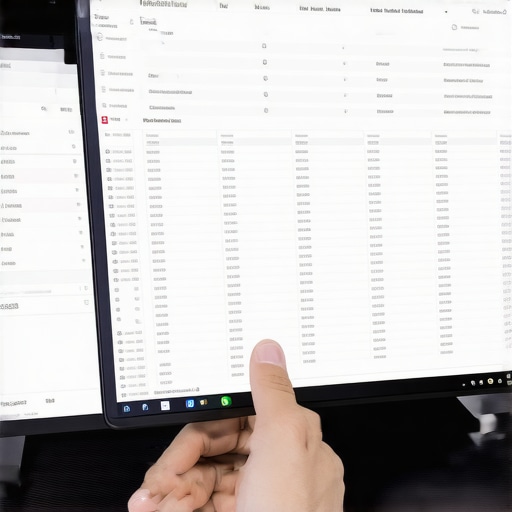
It was late at night when I finally discovered the ghost in my bookkeeping system. Entering my data, I noticed strange, unexplained entries appearing out of nowhere. Frustration turned to concern—was I losing control over my finances? Turns out, my virtual assistant was inadvertently creating phantom ledger entries, and I had no idea how to stop it. Sound familiar? Many entrepreneurs face this mysterious problem, and it can seriously distort your financial picture if left unchecked.
The Hidden Nightmare of Phantom Entries
Dealing with phantom ledger entries isn’t just about cleaning up messes; it’s about protecting your business from costly mistakes and misguided decisions. These elusive entries can inflate profits, skew tax reports, or even hide fraudulent activity. So, how do you ensure your virtual assistant isn’t inadvertently messing with your books? That’s what we’ll unravel together.
Is This Overhyped? Myths About Ledger Ghosts
Early on, I believed that phantom entries were just a minor glitch—something that would resolve itself. I thought, “Surely, it’s just a software bug.” But ignoring the issue only made things worse. In fact, I learned that such errors often stem from complex issues like sync errors, improper automation setups, or misconfigured integrations. I used to overlook the importance of these details, but now I know better. For instance, poorly set up bank feeds can introduce duplicate or incorrect entries, leading to chaos in your ledger. For more insights, check out this article about common automation pitfalls.
Understanding the root causes is crucial. If you’re tired of chasing after these invisible errors, stick around. The following sections will guide you through practical steps to identify, troubleshoot, and eliminate phantom ledger entries—saving you time, stress, and money.
Trace and Identify the Source of Errors
Begin by isolating where the phantom entries originate. Open your bookkeeping software and run detailed audit logs during the periods where anomalies appeared. Think of it as detective work—every suspicious transaction is a clue. Use filters to pinpoint duplicate entries, unexpected journal entries, or discrepancies between bank feeds and ledger data. When I faced recurring ghost entries, I traced the issue back to a misconfigured bank feed setup that duplicated transactions—once fixed, the ghostly entries disappeared. This step is crucial before moving to the next phase, as it prevents misdiagnosis and wasted effort.
Review and Reconfigure Automation Settings
Automation is a double-edged sword; it saves time but can also introduce errors if misconfigured. Go into your integration settings—think of it as fine-tuning a machine. Disable any automatic imports temporarily and compare manual entries versus automated imports. For example, I once set up an API connection to sync Stripe sales but neglected to filter refunds, resulting in duplicated revenue entries. After adjusting the filters to exclude refunds, the phantom entries ceased. Check all third-party app connections, ensure they use the latest API versions, and verify that duplicate filtering is enabled where possible.
Implement Regular Reconciliation Checks
Consistent reconciliation acts as a health check for your books. Schedule daily or weekly reconciliations to match your bank statements with your ledger. Treat this like monitoring vital signs—catch discrepancies early before they morph into big problems. Use your software’s reconciliation tools to flag unmatched transactions. During this process, I discovered a recurring mismatch caused by a currency conversion error in my foreign account feed. Fixing the exchange rate discrepancy immediately cleaned up the ledger.
Test Changes in a Sandbox Environment
Before implementing fixes in your live system, use a sandbox or test environment. This is like a flight simulator—allowing you to experiment risk-free. Apply your new reconciliation filters, automation tweaks, and configuration changes first here. Confirm that the phantom entries are gone before going live. In my case, testing a new reconciliation script in a duplicate database prevented accidental data corruption, ensuring a smooth transition.
Adjust and Document Your Process
Once errors are resolved, document the steps taken—think of it as creating a blueprint for future troubleshooting. Clearly outline the reconfiguration, reconciliation routine, and test procedures. Maintaining this documentation helps prevent recurrence and accelerates resolution if issues reappear. Regularly review and update these procedures, especially if you add new integrations or change workflows. Remember, consistent monitoring and clear documentation are your best defenses against mysterious ledger ghosts.
While many entrepreneurs rely heavily on automated tools and standard procedures, the truth is that there are critical nuances often overlooked that can significantly impact your financial health. One common misconception is that using generic software solutions, like one-size-fits-all payroll or bookkeeping services, automatically ensures accuracy and compliance. However, **customization and understanding your unique business context are vital**; otherwise, you risk misclassification of employees, overlooked deductions, or even costly audits. For example, relying solely on automated payroll might seem effortless, but as discussed in this article, misclassification due to incomplete setup can trigger penalties or nexus issues. Another misconception is that regular reconciliation is enough, but without deep dives into your accounts and understanding discrepancies, small errors can compound, leading to a distorted financial picture. According to a study by the Journal of Accounting Research, even minor reconciliation mistakes, if uncorrected, can effect the accuracy of financial forecasts and tax filings, highlighting the importance of meticulous review. Furthermore, many think that DIY bookkeeping is sustainable for growing businesses. Yet, as outlined in this resource, it often results in phantom profits, overlooked liabilities, or unnoticed cash flow issues. Advanced entrepreneurs recognize that expert oversight can detect errors such as incorrect categorization or overlooked software integration pitfalls, which can cause serious compliance risks or inflated income statements. A crucial trap to avoid is trusting the automation without periodic human review—automation amplifies mistakes if initial setup is flawed. For instance, autopopulating expense categories or income streams without verification can lead to misreported revenues or missed deductions, resulting in audit triggers. To dig even deeper, understanding industry-specific nuances—like multi-state nexus for remote teams or foreign transaction reconciliation—can be the differentiators between smooth sailing and costly penalties. It’s a sophisticated landscape, where personalized strategies and expert guidance, like consulting with seasoned CPAs, can save you from these hidden pitfalls. Do you know how to spot these nuanced errors in your books? If not, I highly recommend reviewing this comprehensive guide to reducing audit risks or exploring common reconciliation mistakes. Remember, the devil is in the details—so don’t let common myths and oversight compromise your financial integrity. Have you ever fallen into this trap? Let me know in the comments.
How do I maintain my bookkeeping and payroll systems over time?
Maintaining a reliable financial operation requires not just choosing the right tools but also developing disciplined routines. I personally rely on QuickBooks Online for its user-friendly interface and robust automation features. It integrates seamlessly with my bank feeds, allowing me to automate transaction imports and reconcile accounts effortlessly. To prevent errors from creeping in, I set up automated reconciliation reminders weekly, ensuring discrepancies are caught early. Additionally, I utilize Gusto for payroll; its compliance checks and real-time tax calculation features help me avoid costly mistakes. For tax filing, I prepare quarterly estimates using tools like TaxAct, supplemented with CPA review to minimize audit risks. To future-proof my setup, I also subscribe to audit alert services that monitor compliance issues specific to my industry. Predictions suggest that AI-driven bookkeeping software will become more prevalent, providing predictive insights to help anticipate cash flow issues before they happen. Looking ahead, staying ahead means integrating these tools with advanced analytics dashboards—such as Fathom or Spotlight—that visualize financial health indicators in real-time, empowering proactive decision-making.
Implementing a proactive maintenance routine with these specialized tools ensures your financial systems stay accurate and compliant. Remember, automation is powerful, but periodic human review remains essential. Curious about fine-tuning your reconciliation process? Check out this guide on reconciliation pitfalls to help you perfect your routine. Start by setting up weekly reconciliation alerts for your bank and ledger—this small step can save hours of trouble down the line. Keep your systems humming smoothly by combining automation with vigilant oversight—your business’s financial health depends on it.
The Lessons That Transformed My Approach to Financial Clarity
One of the most profound insights I gained was that no tool or automation can replace a vigilant eye and disciplined routines. Relying solely on software without understanding its nuances often leads to overlooked errors—phantom entries or misclassified expenses—that can haunt your reports for years. I’ve learned that investing time into regular audits, understanding your unique business nuances, and documenting processes creates a resilient financial foundation. Another revelation was that myths—like the idea that DIY bookkeeping is sustainable—can be costly. Enlisting expert guidance early not only prevents errors but also saves countless hours and headaches. Lastly, embracing industry-specific knowledge ensures you’re not just compliant but also optimizing your financial strategies—after all, what works for a remote SaaS business may not suit a brick-and-mortar retailer.