

I remember the moment clearly: late evening, surrounded by piles of spreadsheets and incomplete financial statements, and realizing I was about to present a report that didn’t truly reflect my company’s current status. The stress was mounting—I’d spent hours trying to piece together data from different systems, only to see inconsistencies and last-minute surprises. It hit me then how much time I was wasting on manual reporting, and how inefficient the entire process was. That lightbulb moment made me question: why am I still doing this the hard way?
The Struggle Is Real: Why Manual Reports Are Costing You More Than You Think
Many business owners and managers face this same dilemma every month. The quarterly board meeting becomes a dreaded chore rather than an opportunity to showcase your company’s health. Manual data collection, spreadsheet crunching, and last-minute corrections not only drain your time and energy—they also open the door to costly errors. A survey by the Association of Accountants and Financial Professionals revealed that nearly 70% of financial reports contain inaccuracies due to manual data entry, leading to misguided decisions and compliance risks.
Early on in my journey, I made the mistake of trusting disconnected tools that didn’t communicate with each other. I believed I could manage everything manually and still stay on top of rapid business changes. That was a costly misconception. Seamless data integration and automation turned my reporting process around, allowing me to produce accurate, real-time insights with a few clicks.
Have you ever experienced the frustration of last-minute report fixes or discovered inconsistencies right before a key meeting? If so, you’re not alone—and there’s a better way to handle your monthly reporting workload.
The good news is, automating your reporting process isn’t just a buzzword. It’s a practical, achievable solution that can free up your time, enhance accuracy, and give you confidence in your board presentations. In the following sections, I’ll walk you through how to set this up effectively, so you can avoid the pitfalls I encountered and start enjoying a more streamlined, stress-free reporting cycle.
Set Up Your Data Integration System
Start by consolidating all your financial data sources—bank accounts, payment processors, invoicing tools—into a unified platform. Use services that support automatic data syncing to eliminate manual entry errors. During my first attempt, I manually imported files from multiple sources, which led to mismatched entries and delayed reports. Switching to an API-based connection allowed real-time updates and saved hours each month.
Automate Bookkeeping with Smart Tools
Leverage cloud-based bookkeeping software that integrates with your bank feeds and sales platforms. These tools automatically categorize expenses and income, but watch out for common mistakes—such as duplicate entries or misclassified transactions. I once suffered a week of reconciliation headaches because my bank feed duplicated a few transactions, skewing my profit calculations. Reading about how to fix missing data gaps helped me troubleshoot swiftly.
Streamline Payroll Processes
Implement a payroll service that handles tax deductions, benefits, and multi-state compliance automatically. For my expanding team, I used to spend days calculating and filing state taxes manually—risky and time-consuming. Adopting an integrated payroll system reduced errors and ensured timely filings, avoiding costly penalties. For tips tailored to growing businesses, explore payroll management strategies.
Reconcile Accounts Regularly
Instead of waiting until tax season, reconcile your bank and credit accounts weekly or bi-weekly. This habit catches discrepancies early—such as bank fees that don’t match receipts or deposits missed by automation. In my experience, consistent reconciliation uncovered a recurring bank feed issue, which I then fixed using tips for accurate reconciliation. This practice preserves clean books and reduces end-of-year chaos.
Implement Data Validation Checks
Introduce validation rules within your bookkeeping and accounting software. For example, flag transactions exceeding certain thresholds or missing critical information. During my last audit prep, I used alerts to identify inconsistent expense categories, preventing small mistakes from becoming big liabilities. These checks serve as your second set of eyes, catching errors early and maintaining report integrity.
Review and Adjust Processes Continuously
Schedule monthly reviews to evaluate your automated processes. Are the reports aligning with bank statements? Are categories meaningful and consistent? Based on ongoing assessments, refine your workflows—whether that means updating rules, switching tools, or training staff. Automation is powerful, but it requires regular oversight. Reading these reconciliation tips helped me find blind spots in my procedures.
Many small business owners believe that hiring a CPA or using automated tools guarantees flawless financial management. However, true mastery in tax filing and bookkeeping requires understanding nuanced pitfalls that even seasoned professionals occasionally fall into. One common misconception is that more automation equals fewer errors; in reality, over-reliance on technology without proper oversight can lead to overlooked discrepancies, especially when integrating multiple data sources. For example, poorly configured bookkeeping software may categorize expenses incorrectly, resulting in unexpected tax liabilities, a trap detailed in the article 5 errors draining your profit. Advanced practitioners know that periodic data validation is crucial to catching these misclassifications before they snowball into audits or penalties. Moreover, many assume that if the IRS hasn’t flagged an issue, everything is fine—that’s a dangerous myth. Complex issues like misclassified independent contractors or overlooked international payroll obligations require proactive review and expert advice, as discussed in managing international payroll. When it comes to tax filing, the biggest trap is neglecting recent legislative changes—such as updates to 1099 reporting thresholds or state nexus rules—that can trigger penalties if overlooked. An example is the recent modification of the 1099-K threshold, which caught many off guard. Staying current with these shifts exemplifies how continuous education and strategic planning are essential for avoiding costly mistakes. To truly excel, professionals must also recognize the importance of customizing solutions rather than adopting a one-size-fits-all approach. Outsourcing or adopting off-the-shelf software without tailoring workflows can introduce more errors, especially in multi-state compliance scenarios. This is why consulting experts like smartCPAservices can be a game-changer, offering tailored strategies that align with your business specifics. Remember, effective bookkeeping and tax strategies are ongoing processes. Regularly reviewing reports, reconciling accounts, and staying updated on regulations can save you from hidden liabilities. Have you ever fallen into this trap? Let me know in the comments.
How Do I Maintain My Financial Systems Over Time?
Staying ahead in the world of tax filing, bookkeeping, and payroll requires a strategic approach to tools and process upkeep. Personally, I rely heavily on cloud-based bookkeeping software like QuickBooks Online, which integrates smoothly with my bank feeds and payment processors. This setup not only automates transaction categorization but also provides real-time updates, enabling me to spot discrepancies immediately—saving hours during tax season. For payroll management, I use a dedicated payroll service that handles multi-state compliance and tax deductions automatically, reducing errors and penalties. To keep these systems functioning optimally, I schedule weekly reviews and reconcile accounts early—it’s a habit that prevents small issues from escalating. Experts suggest that maintaining an audit trail with regular backups and clear documentation ensures long-term reliability and compliance. As the trend leans toward automation and AI integration, staying updated with the latest tools becomes crucial for sustained efficiency. Research from TechCrunch indicates that AI-driven accounting solutions are expected to handle 60% of routine bookkeeping tasks by 2025, so I recommend trying out features like automatic transaction categorization and AI-based error detection to boost your workflow.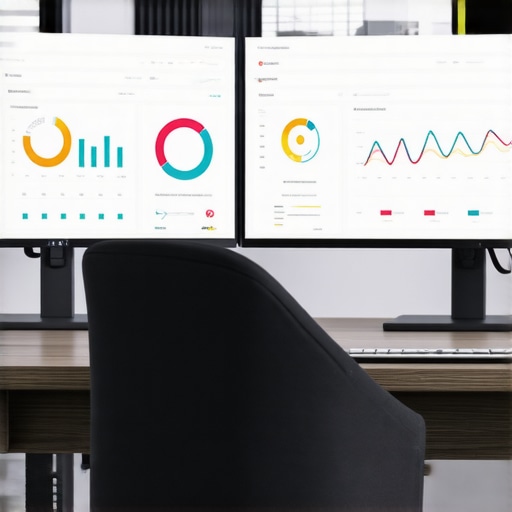
Image prompt: A modern workspace with dual monitors displaying accounting dashboards and automated workflows. Alt: Modern workspace with accounting dashboards; Title: Streamlined Financial Operations
Ready to Level Up Your Maintenance Game?
Implementing these specific tools and routines isn’t just about efficiency—it’s about building a resilient financial process that adapts with your business. Make sure to review your systems quarterly, stay informed about tax law updates, and consider consulting with experts who can tailor solutions to your needs. For personalized advice tailored to your business, reach out to my team and start transforming your financial management today. Remember, consistent maintenance is the secret to long-term success in tax filing and bookkeeping!
What I Wish I Knew About Data Integration Early On
Initially, I underestimated how crucial seamless data integration was. Automating individual systems without connecting them often led to discrepancies and frustration. Once I realized that using APIs to unify my financial tools could drastically reduce manual errors, everything changed. This lightbulb moment taught me that building a connected financial ecosystem isn’t a luxury—it’s a necessity for accuracy and efficiency.
My Hidden Pitfalls with Over-Reliance on Automation
At first, I believed that simply implementing automation tools would make my books perfect. However, I soon discovered that over-reliance without regular oversight could cause overlooked errors and compliance issues. Regular validation checks and periodic reviews became my secret weapons. Learning that technology complements human oversight was a game-changer, reminding me that automation is a tool, not a cure-all.
Why Continuous Learning Beats Static Processes
Tax laws and reporting standards are constantly evolving. I realized that staying updated through resources like expert CPA insights helped me adapt my workflows proactively. Maintaining flexibility and investing in ongoing education prevented costly mistakes and kept my financial processes resilient amidst change. This commitment to learning keeps my systems ahead of the curve.
Curated Tools That Changed My Approach to Bookkeeping
My essential toolkit includes cloud-based bookkeeping software for real-time data syncing, which minimizes manual entry errors. I also rely on dedicated payroll services to handle compliance complexities seamlessly. These tools have transformed my approach, making accuracy and efficiency achievable even as my business grows.
The Power of Proactive Action in Financial Management
Every success story in automating tax filing, bookkeeping, and payroll involves a commitment to regular review and continuous improvement. I encourage you to schedule quarterly system audits, stay informed about legislative updates, and consider expert advice tailored to your unique situation by reaching out to professional advisors. Taking these steps today will position you ahead of potential pitfalls and set a strong foundation for your financial future.