

Ever poured hours into your accounting software, only to find your Chart of Accounts looks like a tornado tore through it? I’ve been there myself—frustrated, overwhelmed, and questioning if I’d ever get it right. One day, I stared at my ledger, feeling completely stuck, realizing that this chaos was costing me more than I thought—mistakes, lost time, and even money. That lightbulb moment made me promise myself I’d find a way to fix it—and I did.
Today, I want to share exactly how I turned my tangled mess into a streamlined, manageable system. If you’re tired of sifting through endless categories that make no sense and causing headaches during tax season, stick around. We’re diving into clear, practical steps to fix your Chart of Accounts, so it works for you—not against you.
Why Your Messy Chart of Accounts Sabotages Your Business Success
Imagine trying to find a specific receipt in a cluttered drawer. That’s what managing your finances feels like when your Chart of Accounts is a haphazard collection of generic categories. A disorganized Chart can lead to misclassified expenses, inaccurate profit calculations, and sleepless nights during tax time. Plus, it hampers your ability to make informed decisions because your financial data loses clarity.
Early on, I made a critical mistake: I kept adding accounts without thinking about their purpose, leading to duplication and confusion. According to a study by the Institute of Management Accountants, 85% of small businesses struggle with financial recordkeeping due to poorly structured charts of accounts. This realization pushed me to reorganize mine, which dramatically improved my reporting accuracy and saved me time during audits.
If you’ve found yourself guessing what a transaction should be classified as or feeling like your books are a never-ending puzzle, you’re not alone. The good news? Fixing this mess isn’t just a pipe dream. With proven strategies, you can transform your chaotic ledger into a clear, useful tool. And trust me, there’s something tremendously satisfying about closing the books knowing everything is properly categorized.
Ready to get your finances into shape? In the next sections, I’ll walk you through the exact steps I took to organize my accounts—steps you can follow to do the same without hiring an expensive consultant. But first, let’s tackle the common doubts and fears many face when contemplating this overhaul.
Break Down Your Existing Accounts
Start by listing all current accounts. Download a recent ledger report and categorize accounts into broad groups like revenue, expenses, assets, liabilities, and equity. I once took a messy export from my accounting software and sorted everything into a spreadsheet, which revealed duplicate accounts and unclear labels. This clear overview acts as a map for your cleanup process.
Identify Redundant and Irrelevant Accounts
Next, scrutinize each account—ask if it’s still relevant or if it duplicates another. For example, I had separate accounts for “Office Supplies” and “Stationery”; consolidating them simplified my books and improved clarity. Eliminating or merging unnecessary accounts makes ongoing management easier and reduces confusion during tax filing.
Define Your Core Account Structure
Establish a logical hierarchy that reflects your business operations. Create main categories like Sales, Cost of Goods Sold, Operating Expenses, etc., and nest sub-accounts accordingly. When I reorganized my books, I created parent accounts for each department, with sub-accounts for specific costs like advertising or travel. This setup provided precise insights during financial reviews.
Set Clear Naming Conventions
Consistent naming helps prevent misclassification. Use straightforward terms and avoid abbreviations that can be misunderstood. For instance, rename “Misc Exp” to “Miscellaneous Expenses” for clarity. Consistency aids your CPA services during audits and simplifies collaboration with your accountant.
Implement Changes Gradually and Reconcile
Don’t overhaul everything in one day; instead, adjust accounts monthly, reconciling transactions as you go. This approach minimizes errors. I found that reconciling each month after restructuring uncovered discrepancies early, avoiding larger issues during tax season. For complex processes, leveraging automation tools can speed up reconciliation, similar to how [automation strategies in payroll management](https://smartcpaservices.com/payroll-strategies-to-streamline-business-operations-this-year) simplify ongoing operations.
Leverage Automation for Consistency
Use your accounting software’s features to enforce naming conventions and account hierarchies. Many platforms allow you to set default account types and labels. Automating these rules ensures future transactions are correctly categorized, reducing manual errors and making [monthly closes faster](https://smartcpaservices.com/how-to-streamline-your-monthly-close-without-hiring-more-staff). This step is critical to maintaining order, especially during periods of high sales volume or seasonal fluctuations.
Document Your New Structure and Train Your Team
Write down the new account setup, including naming conventions and hierarchy. Conduct brief training sessions with your team or bookkeeper to ensure everyone understands the categories. When I shared my structure, my bookkeeper caught misclassified transactions early, safeguarding my tax filings and financial reports.
Regularly Review and Adjust Your Accounts
Your business evolves, and so should your Chart of Accounts. Schedule quarterly reviews to add new accounts for emerging expenses or remove obsolete ones. This ongoing vigilance prevents clutter from building up again and keeps your books aligned with your operational reality. Regular reviews also reduce the risk of errors during crucial tax periods, such as [filing season](https://smartcpaservices.com/tax-filing-simplified-how-a-cpa-service-can-save-you-money).Many small business owners operate under misconceptions when it comes to smart CPA services, payroll, and tax filing strategies. While it’s common to believe that outsourcing these functions guarantees automation and maximum savings, the reality is often more nuanced.
One prevalent myth is that hiring a CPA or using automated bookkeeping tools automatically ensures tax optimization. In my experience, many entrepreneurs underestimate the importance of ongoing strategic engagement. Automation is a powerful tool, but without active oversight and tailored advice, it can lead to overlooked deductions or compliance risks. According to a study by the National Small Business Association, 60% of small firms fail to leverage their financial data effectively, often due to reliance on generic solutions rather than customized strategies.
**Beware of the trap of one-size-fits-all solutions**; many software platforms promise simplified tax filing and bookkeeping, but these often lack industry-specific insights. For example, a tech startup might benefit from different expense categorizations than a retail store, yet many generic systems treat all businesses equally. This can cause future audit red flags or missed opportunities for credits like the R&D tax incentive.
Why do many entrepreneurs trust inexpensive or DIY tax software blindly?
Most believe that low-cost, DIY solutions are sufficient for small businesses, but this can be a costly oversight. Automated tools often lack the nuanced understanding of tax law applicable to unique situations—like multi-state sales or international transactions—which can lead to penalties or missed deductions. An expert CPA can interpret complex scenarios, such as the tax implications of cryptocurrency payments or employee reimbursements, which are frequently misclassified by software. As highlighted in a report by the Journal of Accountancy, small businesses that rely solely on automation without expert review risk missing out on significant tax savings and facing audits.
**The “Oops” Factor: Don’t neglect strategic planning**; many owners focus solely on compliance and overlook the opportunity to optimize cash flow or prepare for growth through strategic financial management. For instance, understanding how to structure payroll or capital expenses can significantly impact taxes. Using expert CPA services to plan ahead can help prevent costly surprises during tax season.
Have you ever fallen into this trap? Let me know in the comments. Remember, combining technology with strategic oversight maximizes your financial health and keeps your business compliant and poised for growth. For more insights on how tailored CPA strategies can benefit your business, check out [this guide on maximizing your tax filing efficiency in 2025](https://smartcpaservices.com/maximize-your-tax-filing-efficiency-in-2025-expert-cpa-tips). Ensuring your financial operations are aligned with your business goals is an ongoing process—don’t leave it to guesswork.Maintaining your financial systems over the long term requires the right tools, consistent routines, and a strategic mindset. From automating routine tasks to leveraging specialized software, I’ve developed a toolkit that ensures my bookkeeping and payroll processes stay accurate and efficient, even as my business scales.
Invest in Advanced Accounting Software
For my day-to-day bookkeeping, I rely on QuickBooks Online because of its robust automation features and real-time syncing capabilities. It allows me to set rules for recurring transactions and automate bank feeds, reducing manual data entry and minimizing errors. Recently, I’ve also incorporated Xero into my workflow for multi-currency support and higher-level financial analysis, which is invaluable during expansion phases. Both platforms integrate seamlessly with my payroll services, keeping everything in sync and simplifying monthly reconciliations.
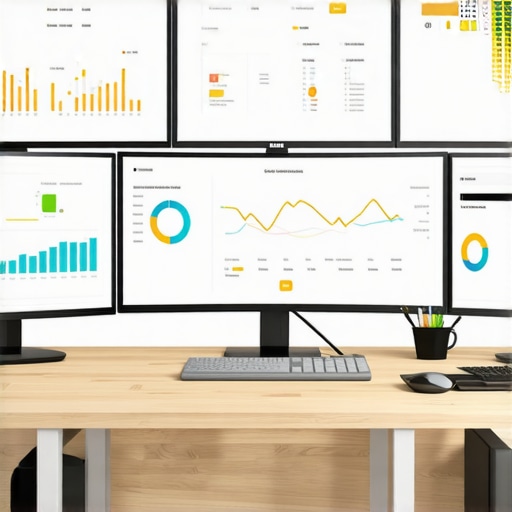
Pro tip: Regularly update your software and integrations; many providers release new features that can streamline processes further. Staying current with software updates ensures you leverage the latest automation capabilities, reducing manual oversight and improving accuracy. For ongoing insights on how to maximize tax efficiencies using your existing tools, I recommend reading this guide to tax filing strategies in 2025.
Leverage Automation Tools to Simplify Routine Tasks
Automation is the backbone of reliable long-term financial management. I use Zapier to connect my accounting platform with other apps—like my CRM and payment processors—ensuring data flows smoothly without manual intervention. For payroll, I trust Gusto, which not only handles tax filings but also provides detailed reports that feed directly into my accounting software. These integrations help me catch discrepancies early and streamline my monthly close process, making sure everything is aligned before the tax season rush.
Develop a Routine for Regular Review and Adjustment
One of the mistakes I see most often is neglecting ongoing review. I set a recurring monthly task to review transaction classifications, ensure reconciliations are complete, and verify that new accounts are correctly set up. This habit prevents errors from snowballing and keeps my systems responsive to business changes. When my business scales rapidly, I plan to adopt the latest AI-driven reconciliation tools, as outlined in industry research, to help identify anomalies faster and more accurately.
How do I maintain my bookkeeping edge over time?
Consistency is key. Scheduling periodic reviews, staying updated with software and automation advancements, and investing in specialized tools like reconciliation automation solutions all contribute to keeping my systems effective. Also, engaging with educational resources and expert insights helps me adapt to changing tax laws and technology trends, ensuring I stay compliant and maximize deductions. For instance, I follow updates from reputable industry sources, including the official documentation for accounting software, ensuring my practices are aligned with best industry standards.
Implementing these strategies has significantly reduced my manual workload and error rates, giving me peace of mind and more time to focus on business growth. If you haven’t tried integrating your accounting tools more deeply or automating routine tasks, I highly recommend starting today. Little adjustments now can save you hundreds of hours and thousands of dollars in the future.
What I’d Do Differently Knowing What I Know Now
Looking back, I realize that the toughest lessons I learned about organizing my financial records stemmed from neglecting ongoing reviews and assuming automation alone would handle everything. One key insight was that even the best software cannot replace strategic oversight—regular check-ins and adjustments are essential for maintaining clarity and accuracy.
How I Discovered the Power of Simplification
Consolidating redundant accounts not only clarified my financial picture but also saved me hours during tax season. This taught me the value of simplicity—streamlining categories and naming conventions makes future management much more manageable and less prone to error.
Why Strategic Planning Outpaces Quick Fixes
I initially tried to overhaul my Chart of Accounts in a single weekend, but that approach led to more mistakes and confusion. Instead, gradual implementation, coupled with clear documentation and team training, proved far more effective. This reinforced the importance of strategic, step-by-step progress over impulsive changes.
My Secret Weapon: Monthly Reviews and Automation Alignment
Aligning automation with a disciplined review process is how I keep my books accurate and compliant. Setting recurring monthly checkpoints ensures I stay on top of classifications, reconcile discrepancies early, and adapt to business changes without chaos. This habit has been transformative in maintaining financial health over the long haul.
Resources That Keep My Financial Systems Sharp
- QuickBooks Online: Its automation features help reduce manual errors and keep real-time data at my fingertips, crucial for swift decision-making.
- Xero: Valuable for multi-currency handling and deep financial analysis, especially during expansion phases.
- Zapier Integrations: Connecting my apps ensures seamless data flow, saving countless hours and preventing mistakes.
- Industry Blogs and CPA Insights: Regularly consulting expert content keeps me updated on best practices and new tools, like the latest [automation strategies for monthly closes](https://smartcpaservices.com/how-to-streamline-your-monthly-close-without-hiring-more-staff).
Take Action: Your Financial Clarity Awaits
Remember, mastering your Chart of Accounts isn’t a one-time task; it’s an ongoing journey of refinement and learning. By incorporating regular reviews, simplifying your accounts, and leveraging automation wisely, you can turn your messy books into a powerful business advantage. Whether you’re just starting or fine-tuning your system, taking deliberate steps now will yield long-term value. What’s one small change you’ll make today to improve your financial organization? Share your thoughts below—I’d love to hear your success stories!
,