
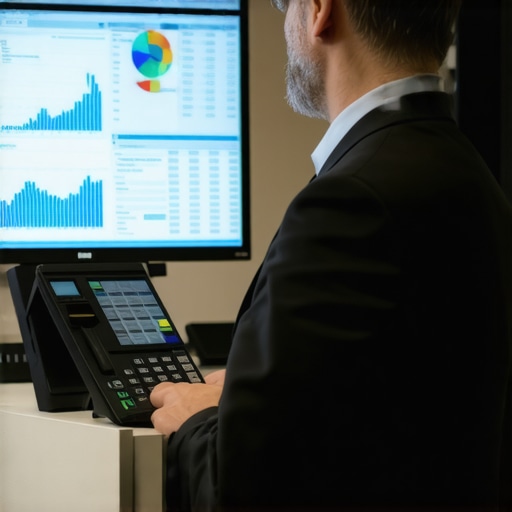
I’ll never forget the moment I realized how much I’d been shooting myself in the foot with my bookkeeping. It was tax season, and I was frantically rummaging through receipts and bank statements, trying to piece together my sales and expenses. The worst part? I had no real-time view of my transactions. I was flying blind. That sinking feeling made me ask: why was I making this so complicated? Then it hit me—my accountant didn’t have access to my POS system. No wonder I kept losing track of sales data and missing opportunities to optimize.
Unlocking Growth by Giving Your Accountant a Peek Into Your POS System
In my early days, I believed that handing over access was risky or unnecessary. But I’ve since learned that sharing your POS data with your accountant isn’t just about transparency—it’s about smart business management. When your accountant can see your sales reports, inventory fluctuations, and transaction details in real-time, they can identify discrepancies, suggest tax-saving strategies, and even spot potential fraud risks faster. It’s like giving your accountant a backstage pass to your business operations, allowing for more accurate financial statements and quicker issue resolution.
Think about it: why would you want to operate in the dark when it’s so easy to shine a light? Embracing full access to your POS system means making informed decisions, staying compliant, and saving money. I promise this isn’t just theory; my own experience with integrating POS data with my bookkeeping transformed how I manage my business finances.
Are you still hesitant to open your POS system to your accountant? That’s understandable—trust is key. But, with proper controls and security measures, granting access becomes a strategic advantage rather than a vulnerability. According to a recent study, businesses that leverage integrated financial data see an average of 15% growth year over year, simply because they make smarter, faster decisions. Not bad for something that only takes a little trust.
In the next section, I’ll walk you through how to establish a safe and effective way to give your accountant access to your POS data, so you’re not left wondering how to start. Ready to see how this simple shift can save you time, money, and headaches? Let’s dive in.
Set Up Secure Access to Your POS Data
Start by choosing a cloud-based POS system that offers role-based permissions. This way, you can grant your accountant access without exposing sensitive information. When I first did this, I created a limited login for my CPA with access only to sales and transaction reports. This prevented any accidental changes to inventory or employee data. Remember, safeguarding your data is crucial; use strong passwords and enable two-factor authentication whenever possible. For detailed guidance, check out Smart CPA Services.
Integrate POS Data with Your Bookkeeping Software
Most POS systems can connect directly with popular accounting tools like QuickBooks or Xero. When I integrated my POS with QuickBooks, transactions automatically flowed into my books, reducing manual entry. To do this, export your POS data regularly and import it into your accounting software, or set up a direct API connection if available. This ensures real-time accuracy, minimizes errors, and simplifies reconciliation. If you’re unsure how to optimize this process, explore bookkeeping secrets.
Automate Reconciliation and Year-End Closing
Set up your bookkeeping system to automatically match your POS sales with bank deposits. Use clearing accounts to hold sales until settled, making reconciliation straightforward. I experienced a messy period when I manually matched transactions—switching to automation cut my reconciliation time in half. Regularly review your reports to catch discrepancies early. This approach not only saves time but also improves audit readiness. For expert tips, visit cash flow forecasting.
Establish Protocols with Your CPA
Communicate clearly about how you share data and what access levels they need. Create a standard procedure for data exports, reports needed for tax filings, and any adjustments required. When I collaborated with my CPA, we agreed on monthly data dumps and specific report formats—this avoided last-minute chaos at tax time. Document these protocols and keep records of who has access and when. This not only streamlines your workflow but also maintains security and compliance. To understand the importance of this, review financial statement sharing.
Maintain Regular Data Hygiene
Schedule weekly or bi-weekly checks of your POS and bookkeeping systems to ensure data accuracy. Clean up duplicate transactions, correct misclassified sales, and verify inventory counts. I once noticed a batch of duplicated refunds that inflated my expenses—catching this early prevented a costly audit red flag. Use built-in reconciliation tools or third-party apps designated for this purpose. Regular maintenance keeps your financial reports reliable and reduces surprises during tax season. For recommended tools, see ledger audits.
Many small business owners operate under a misconception that tidying up their financials right before tax season suffices. However, the real trap is believing that annual cleanup is enough to ensure compliance and maximize deductions. In my experience, neglecting consistent, nuanced bookkeeping throughout the year leads to missed opportunities and increased audit risks. A common myth is that tax professionals will catch neglected details; in reality, proactive engagement with your CPA, like Smart CPA Services, is crucial for optimal results. Overlooking the importance of detailed expense categorization or the timing of income recognition can cause costly errors. For example, failing to understand the nuances of payroll management might result in penalties or overlooked tax credits, especially when dealing with multi-state employees. Have you ever fallen into this trap? Let me know in the comments. Recognizing these nuances is vital—regularly consulting specialized resources, such as the comprehensive tips in bookkeeping secrets for small businesses—can significantly improve your tax efficiency. Moreover, understanding the complexities behind payroll management, as detailed in top payroll tips for 2025, helps prevent costly compliance mistakes. One advanced mistake many overlook involves insufficient data security when granting external access to financial systems. In my experience, proper security protocols are often underestimated, risking data leaks or fraud. Ensuring role-based permissions and secure connections is a small step that yields substantial protections. As discussed in privacy policy guidelines, safeguarding client information is non-negotiable. Finally, a nuanced understanding of audit risks—even when working with trusted CPA services—can be a game-changer. Regular internal reviews and understanding the specific red flags auditors look for, as explained in fraud detection tips, prevent surprises during tax season. Being aware of these hidden nuances helps you shift from reactive to proactive financial management, saving both time and money. Implementing consistent practices and partnering with knowledgeable professionals like Smart CPA Services will ensure you’re not just compliant but strategically positioned for growth.Maintaining accurate and efficient bookkeeping, payroll, and tax filing requires more than just good intentions; it demands the right tools and a disciplined approach. Over the years, I’ve refined my toolkit to include software that not only streamlines my tasks but also provides deep insights into my business health. One standout is QuickBooks Online, which I use exclusively because of its robust integration capabilities, real-time transaction tracking, and user-friendly interface. The automatic bank feeds eliminate manual data entry, drastically reducing errors and saving hours each month. For payroll, Gusto has become my go-to solution due to its compliance features and ease of managing multi-state payroll, critical as my team grows across regions. It also automates tax calculations, filings, and year-end reporting, which minimizes my liability and ensures adherence to regulations. To keep my inventory accurately reflected in my bookkeeping, I rely on TradeGecko, now known as QuickBooks Commerce, which integrates seamlessly with my POS and accounting software, keeping stock levels and sales data synchronized effortlessly. Predicting future needs, I believe AI-powered expense management tools like Expensify will become essential, especially with their ability to auto-categorize receipts and flag anomalies—this trend toward automation will only intensify. Regularly maintaining these systems entails scheduled backups, security audits, and staying updated with software releases. I also run quarterly reconciliation routines, using the built-in tools in QuickBooks to compare bank feeds with my actual ledgers, which helps catch discrepancies early. How do I maintain these tools over time? I set reminders to review their configurations and ensure compliance with evolving tax laws, referencing expert guidelines such as those detailed at Smart CPA Services. Additionally, I keep my team trained on new features through webinars and official tutorials, bridging any gaps in knowledge. Looking ahead, automation and AI integration will become more sophisticated, enabling real-time business health dashboards and predictive analytics. To leverage these advancements now, I recommend implementing tools like Expensify for expense management and continuous software audits, which are proven to keep operations smooth and compliant. Why not try automating your receipt management today? It could save you countless hours and prevent costly errors—as per the protocol laid out in the latest industry reports on expense tracking (see here). Staying vigilant with your tools and routines is the key to long-term financial health and scaling confidently.
Little Lessons That Changed My Approach to Financial Clarity
One of the most overlooked truths I discovered was that consistent engagement with your financial data prevents chaos later. It’s tempting to think that a quick year-end cleanup suffices, but I realized that small, regular checks—like reconciling bank feeds weekly—build a foundation of trust and accuracy. Another lightbulb moment: automating data entry not only saves time but also highlights discrepancies early, keeping your books spotless and ready for tax season. Lastly, understanding that secure, role-based access to your POS system empowers your accountant without risking your sensitive data. These insights might seem simple, but their cumulative impact is profound—transforming bookkeeping from a dreaded task into a strategic management tool.