

I sat on my office floor three years ago, staring at a literal mountain of faded thermal paper that looked like a paper snowstorm had hit my desk. It was late March, and I was frantically trying to match a coffee-stained receipt from the previous July to a vague transaction on my business bank statement. I felt like a total failure as a business owner. If you have ever spent a Saturday night crying over a shoebox of crumpled paper instead of enjoying dinner with your family, you know exactly what I am talking about. We all start with good intentions, but why manual expense tracking still costs you 10 hours a week is a lesson most of us learn through pure exhaustion. Today, I am going to show you how to kill that paper monster once and for all using tools that actually work.
Drowning in Paper Won’t Get You the Tax Break You Deserve
The harsh reality is that the IRS does not care about your unique system if that system involves a glovebox full of faded ink. I learned this the hard way when I lost a $1,200 deduction because a hardware store receipt had turned into a blank white slip of paper by the time I needed it. It was a painful, expensive mistake. To truly maximize your tax filing efficiency in 2025, you have to stop acting like a 19th-century clerk and start using the computer in your pocket. Modern scanning apps are the helpful neighbor of the professional world; they extract data, categorize expenses, and sync directly with your ledger. It is time to stop chasing receipts and use these three apps instead to regain your sanity. According to the U.S. Small Business Administration, poor financial record-keeping is a leading cause of business failure, yet digital tools can reduce administrative overhead by up to 30%. [image_placeholder]
Do these apps really save more time than they take to learn?
I get it. You are skeptical. You think you do not have time to learn a new tool when you are already drowning in work. But here is the truth: once you set up a workflow, it takes exactly four seconds to scan a receipt at the register. Compare that to the four hours you will spend in April trying to remember what a random purchase at a big-box store was for. You need to know the paperwork you need to keep for five years or more, and having a digital, searchable archive is the only way to sleep soundly at night. Have you ever reached for a vital receipt only to realize it was accidentally tossed in the trash or washed in a pair of jeans?
Stop Losing Money to Your Own Desk Junk
When you finally embrace scanning technology, you are not just cleaning up your physical space; you are protecting your bottom line. By digitizing your trail, you ensure that every dollar spent is a dollar accounted for come tax season. We are going to dive into the specific apps that bridge the gap between your wallet and your accountant so you can stop fearing an audit and start focusing on your growth.
Turn Your Smartphone into a Tax-Saving Machine
The first step is not just downloading an app; it is about creating a no-exceptions rule for your physical wallet. I spent a year telling myself I would scan receipts at the end of the week. By Friday, half were missing and the other half were unreadable from being shoved in my pockets. Now, the rule is simple: the receipt never enters my wallet. It goes from the cashier’s hand, under my phone’s camera, and straight into the recycling bin. To make this work effectively, you must how to keep personal and business expenses separated for good by using a dedicated business card. This makes the digital trail clean from the very first swipe. 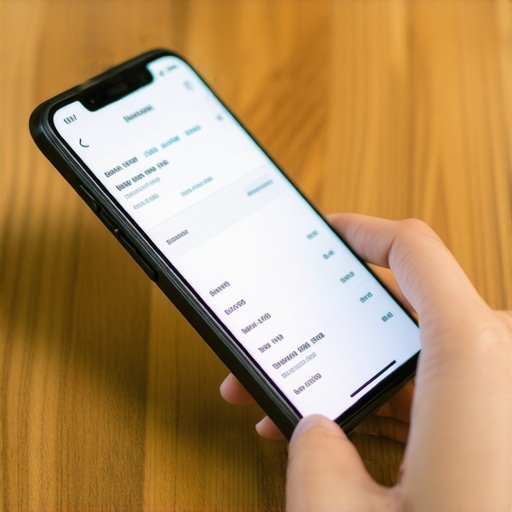
Take Advantage of Optical Character Recognition
When you scan a receipt, you are not just taking a photo. You are using Optical Character Recognition (OCR) to pull the vendor name, date, and tax amount automatically. Modern tools like Hubdoc or Dext then push this data directly to your ledger. This is one of those bookkeeping secrets every small business owner should know: the less manual typing you do, the fewer errors you make. I once mistyped a $1,500 equipment purchase as $150 because I was rushing. I did not catch it until my CPA asked why my assets did not match my bank balance during tax season.
Set Up Rules That Do the Heavy Lifting
Once your receipts are flowing into your software, you need to automate the categorization. If you buy coffee at the same shop for client meetings every Tuesday, create a Bank Rule. Tell your software that any charge from that specific vendor under a certain dollar amount should automatically go to Travel and Meals. However, you must stay vigilant because why automated expense categorizing is failing your books often comes down to over-reliance. The software does not know if you bought a printer for the office or a video game for your home unless you tell it.
Audit Your Own Automation Every Thirty Days
Software is a tool, not a total replacement for your brain. Every month, you should spend 30 minutes looking for anomalies in your ledger. Look for double-postings or ghost transactions that do not have a corresponding receipt. It is vital to learn how to spot the errors in your automated bank feed-2 before they snowball into a year-end disaster. I remember a month where my software duplicated every Stripe fee for three weeks. If I had not checked my monthly reconcile, my expenses would have been artificially inflated, making my business look less profitable than it actually was.
Match the Digital Image to the Bank Line
The final part of this process is the reconciliation. This is where you match your digital receipt image to the specific line item on your bank statement. If you have the digital image attached to the transaction, you have created an unbreakable chain of evidence for the IRS. This is exactly the paper trail that protects your business during a surprise audit. It turns a potentially terrifying audit into a minor administrative hurdle because your proof is just one click away. Stop thinking of expense tracking as a chore and start seeing it as a defensive wall around your hard-earned profit.While digitizing is a massive win, I need to burst one common bubble: a receipt by itself is not a get-out-of-jail-free card. Everyone says that as long as you have the paper, you are safe, but I have seen audits go south because the ‘business intent’ was never documented. This is exactly why you should stop letting your bookkeeper categorize miscellaneous expenses without specific notes. If the IRS sees a $400 charge at a restaurant, a photo of the receipt only proves you spent the money. It does not prove you were discussing a contract or a potential hire.
What happens when your ‘convenient’ payment apps trigger an audit?
Many founders fall into a dangerous trap by using consumer apps for business speed. You might think you are being efficient, but the tax trap of paying employees through Venmo or Zelle is a very real threat to your compliance. According to a report from the National Federation of Independent Business (NFIB), tax-related penalties are a primary concern for small firms, often stemming from improper documentation of cash-equivalent transfers. These platforms usually lack the structured data needed to prove you are not just funneling money to friends under the guise of contract labor.  Another nuance that separates the pros from the amateurs is the ‘reasonable salary’ requirement for S-Corps. It is tempting to keep your W-2 low to dodge self-employment taxes, but understanding why your S-corp salary might be too low for the IRS is a conversation I have with clients at least once a week. If you are a consultant making $200k but paying yourself a $30,000 salary, you are basically inviting an agent to your office for a very expensive conversation.
The Stealth Compliance Killer Most Founders Ignore
Then there is the remote work ‘Nexus’ issue. We live in a world where hiring talent is global, but taxes remain very local. You might think learning how to handle state nexus when you hire one remote developer is a problem for next year, but that one employee in another state can trigger sales tax and income tax obligations you never budgeted for. This is often where the reason your 1099-NEC filings are likely wrong starts—by misclassifying the nature of the relationship and the location of the work. Have you ever fallen into the trap of thinking a digital tool was doing 100% of the work for you? Let me know in the comments.
Stop Using Your Inbox as a Filing Cabinet
I’ve tried every ‘life hack’ in the book, but the only thing that actually worked was building a dedicated physical and digital tech stack. I personally use a Fujitsu ScanSnap iX1600 sitting right on my desk. Why? Because if I have to open a flatbed scanner or use a phone app for 50 different receipts, I simply won’t do it. This thing eats a stack of crumpled receipts in five seconds and beams them straight to Dext. From there, it’s one click to sync with my ledger. I chose Dext over other tools because its OCR (Optical Character Recognition) handles wrinkled thermal paper significantly better than most. This is one of those bookkeeping secrets every small business owner should know: the hardware you choose determines whether you’ll actually follow through. If your system feels like a friction-filled chore, you’ll revert to a shoebox by July. 
How do I maintain my financial hygiene without losing my weekends?
The answer is the ‘Friday 15.’ Every Friday at 10:00 AM, I spend exactly fifteen minutes reconciling the week’s transactions. If you wait, you’ll inevitably face hidden gaps in your general ledger that lead to filing delays when tax season rolls around. During this window, I also look for how to streamline your month end close using automation so that the final day of the month is just a formal sign-off rather than a three-day ordeal of hunting for missing entries. According to the AICPA’s guide on digital transformation for small businesses, firms that adopt continuous reconciliation instead of monthly batches reduce year-end closing time by an average of 40%.
The Future of Your Books is Autonomous
We are moving toward a world of ‘Zero-Touch’ accounting. Within the next three to five years, I predict that AI will not just suggest categories but will proactively cross-reference your vendor contracts to ensure tax compliance before you even see the transaction. To prepare for this future, you must properly categorize software subscriptions for true profit data now. If your data is messy today, the AI of tomorrow will only automate your previous mistakes. This shift will move the accountant’s role from data entry to high-level data interpretation.
Automate Your Growth Engines
As your team expands, don’t settle for the bare minimum tools. I’ve seen many founders struggle because why your payroll providers basic plan is hurting your growth usually comes down to missing out on automated state tax filings that you shouldn’t be handling manually. Instead, look for payroll strategies to streamline business operations this year that include multi-state compliance features. This is the move that eliminates late fees on payroll taxes and keeps your focus on building revenue. I challenge you to take 30 minutes this weekend to how to audit your own books in 30 minutes or less-2 and see where your automation is actually leaking cash.
Lessons I Learned the Hard Way about Financial Hygiene
After years of untangling messy ledgers, I realized that bookkeeping is 10% math and 90% discipline. One lightbulb moment for me was discovering that waiting until the end of the month to ‘catch up’ is a form of self-sabotage; it makes the task feel like a mountain rather than a molehill. I also learned that you shouldn’t ignore the red flags that suggest your accountant isn’t proactive enough, because if they aren’t pushing you toward better systems, you are likely leaving money on the table. When I finally prioritized tax filing simplified how a CPA service can save you money, I stopped viewing accounting as a cost and started seeing it as an investment in my own peace of mind. Keeping your data clean from day one is the only real ‘secret’ to growth.
The Toolkit That Keeps My Sanity Intact
You do not need fifty different apps to stay organized. I personally swear by a simple, three-part stack: a dedicated document scanner (like the ScanSnap), a data extraction tool like Dext to handle the OCR, and a robust cloud ledger like QuickBooks or Xero. To make the most of these, you should review the checklist for every business owner before their first CPA meeting to ensure your digital files are actually useful to a professional. If you are starting to hire, I also recommend checking out these top payroll management tips for growing businesses in 2025 to ensure your employee documentation is just as organized as your expense receipts. These tools don’t just save time; they create a bulletproof audit trail.
It is Time to Reclaim Your Saturday Nights
Business ownership is hard enough without the constant, low-level anxiety of a pending tax deadline hanging over your head. You didn’t start your company to become a world-class filing clerk; you started it to build something meaningful. By automating the ‘boring’ parts of your financial life, you give yourself the permission to focus on what actually generates revenue. If you ever feel overwhelmed by the transition to a digital system, don’t hesitate to contact us for guidance. Your future self will thank you when April rolls around and you have nothing to do but sign your name and get back to work. Which part of your current bookkeeping system feels like the biggest mess right now? Let me know below.