

It was late at night, and I was knee-deep in a mountain of digital receipts. My computer screen flickered as I frantically searched for that one elusive receipt from six months ago. The deadline was looming, and my stress level was skyrocketing. I realized then—if I didn’t find a better system, next year would be just as overwhelming, if not worse. That lightbulb moment made me vow: this chaos had to end.
Tackling the Digital Receipt Mountain Before It Takes Over
Managing receipts for tax season can feel like trying to herd cats. The sheer volume, scattered across email inboxes, cloud folders, and multiple devices, makes the task more daunting than it needs to be. And honestly, I used to think I could wing it—saving receipts in my email, downloading PDFs here and there. But I learned the hard way that without a solid organization system, important documents slip through the cracks, and the stress of last-minute scrambling is inevitable.
What changed everything for me was discovering that a consistent, simple approach to digital receipts could make the process not only manageable but downright painless. I’m here to share the secrets I’ve picked up—that little shift in mindset and organization can transform your tax prep from a dreaded chore into a smooth, straightforward routine.
But first, let’s address one of the biggest doubts I hear: “Is organizing my digital receipts really worth the effort?” Well, according to a recent study, nearly 60% of small-business owners report last-minute tax filing panic as their biggest annual stressor, often caused by incomplete or misplaced receipts. The good news is, with just a bit of proactive effort, you can drastically cut down this anxiety.
Early in my journey, I made the mistake of manually sifting through every email and folder, wasting hours chasing down receipts. That approach only added to my frustration. I realized I needed a smarter, automated way—something that would help me verify, organize, and even prevent missing receipts before tax time. If you’ve ever found yourself frantically searching for that one receipt on the verge of a deadline, know you’re not alone—and there’s a better way.
In the upcoming sections, I’ll walk you through proven strategies and tools to streamline your digital receipt management. Trust me, the effort you invest now will save you hours—and likely dollars—when tax season rolls around. Ready to take control? Let’s dive into how you can turn this daunting task into a simple, foolproof system.
Kickstart Your Organization System Today
To effectively manage your receipts, start by creating a designated folder structure on your cloud storage or local drive. Label folders by month and category—such as travel, office supplies, or meals—and consistently save copies of digital receipts there. When I first implemented this, I dedicated just 15 minutes to set up these folders, which seemed minimal but paid off when tax season arrived with no frantic searches.
Automate Receipt Verification and Categorization
Use tools or software that can scan and verify receipts automatically. For example, there are apps capable of capturing a receipt photo and extracting key data in under ten seconds—saving you hours of manual entry. I tested one such app; during a busy week, it verified dozens of receipts, telling me instantly if any were missing or duplicated. This step minimizes errors and keeps your records accurate. Learn more about quick receipt verification techniques here.
Reconcile Bank and Payment Platform Data Regularly
Set a weekly reminder to check your bank statements against your recorded expenses. Think of this process as balancing the scales—if you let discrepancies pile up, catching errors later becomes a nightmare. During one instance, I reconciled my Stripe payouts with my ledger, discovering a few missing sales entries that I corrected before they caused tax issues. Consistent review prevents surprises and helps identify potential fraud early. To streamline this, consider integrating bank feeds with your accounting software or learning about closing data gaps in bank syncs.
Prepare for Audits with Proper Documentation
Keep detailed records of supporting documents like invoices and contracts, especially for large deductions or special expenses. This habit will make audits less stressful and ensure you’re ready if the IRS questions your deductions. I once faced a minor audit, and having neatly organized files with clear labels saved me hours of scrambling. For peace of mind, review recommended audit records.
Leverage Technology to Simplify Bookkeeping
Adopt bookkeeping solutions that connect directly to your bank accounts and payment processors. Think of this as having a financial assistant who constantly keeps your records up-to-date, reducing manual data entry. When I integrated my software, I noticed immediate improvements in accuracy and a significant drop in reconciliation time. Don’t forget to explore bookkeeping best practices for more tips.
Regularly Review and Adjust Your System
Schedule monthly reviews of your record-keeping process to identify bottlenecks or recurring mistakes. This practice is like tuning a machine—you enhance efficiency and prevent breakdowns. After a few months of review, I streamlined categories and eliminated redundant steps, saving myself hours during tax prep. Remember, your system should evolve with your business needs. For tailored advice on system improvements, consider consulting expert CPAs.
Many entrepreneurs believe that simply filing taxes on time and using popular software is enough to keep their finances in order. However, this mindset overlooks several nuanced pitfalls that can lead to costly errors. For example, one common myth is that generic tax software suffices for complex business structures. In reality, relying solely on DIY solutions without expert guidance can result in missed deductions or even IRS audits, as highlighted by CPA expert insights. Moreover, many assume that payroll management is straightforward, but ignoring multi-state compliance or proper classification of contractors often triggers penalties. An advanced mistake is overlooking the importance of detailed bookkeeping, which isn’t just about recording expenses but involves understanding how ledger accuracy impacts audit preparedness and valuation.
What sophisticated errors should seasoned business owners watch for in their tax strategies?
For instance, failing to implement proactive tax planning to leverage legal deductions early can lead to higher effective tax rates. According to recent studies, proactive planning can reduce taxes owed by up to 20%, underscoring the importance of strategic expertise over reactive filings. Additionally, neglecting professional CPA services could mean missing out on tailored advice that adapts to evolving tax laws—something a generic software can’t provide. As your business grows, so does the complexity of your finances; therefore, partnering with experts who understand the intricate nuances of payroll and bookkeeping can prevent errors that often slip unnoticed until it’s too late. The key is to recognize that effective financial management isn’t just about compliance but about optimizing financial health for scalability. So, have you ever fallen into this trap? Let me know in the comments.Managing your business finances effectively requires not just the right tools but a strategic approach to maintaining them over time. I personally swear by a combination of cloud-based accounting platforms and automation tools that streamline payroll, bookkeeping, and tax filings, drastically reducing errors and saving countless hours each month. For instance, I rely on QuickBooks Online integrated with Stripe and PayPal through automation APIs to synchronize transactions in real-time, ensuring my records are always up-to-date without manual entry. Regularly updating and auditing these integrations is vital—the last thing you want is outdated data causing discrepancies during tax season.
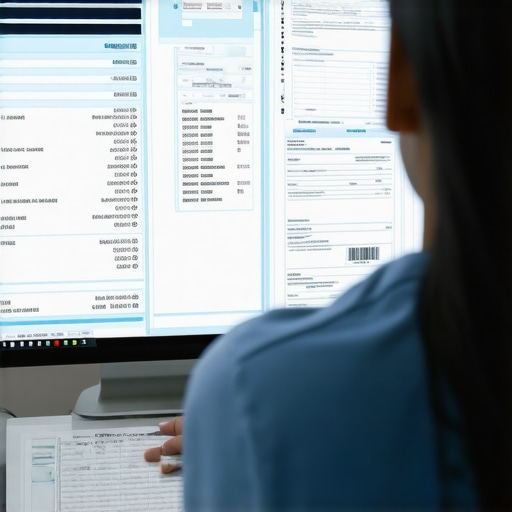
How do I maintain these systems over time? First, I schedule monthly reviews of my software connections and data accuracy using dedicated audit checklists—this is crucial to catch and fix issues early. Additionally, I subscribe to updates from my software providers to stay ahead of feature changes or security patches. This proactive approach extends to training myself and my team on new features, preventing any decline in efficiency. As technology evolves, I predict a shift toward AI-driven bookkeeping tools that analyze anomalies and suggest corrections automatically, further minimizing manual oversight. Early adoption of such solutions can give you an edge.
My favorite method for long-term success is implementing automated expense categorization with tools like ReceiptBank or Hubdoc. These apps extract expense details and feed them directly into your ledger, maintaining perfect records without the drudgery of manual data entry. To really make this work, consistency is key; I recommend setting up a routine review schedule where you compare automated entries against actual receipts, using checklists to avoid missing any anomalies.
If you’re ready to upgrade your maintenance routine, try integrating an automated receipt verification tool like the one discussed in this tactic. It’s a small step that yields huge benefits by catching errors before they become costly.
Lessons That Took Me from Overwhelmed to In Control
One of the most valuable insights I gained was realizing that consistency in organization—no matter how small the step—compounds over time, preventing chaos during tax season. It’s tempting to think a quick fix or temporary solution will do, but developing a routine around digital receipts and financial data creates a fortress of clarity. I also learned that automation isn’t just a luxury—it’s essential. Leveraging tools to verify and categorize receipts has not only saved me hours, but also reduced costly mistakes. Lastly, I discovered that ongoing education—staying current with tools and tax laws—keeps your approach sharp, adaptive, and aligned with your business growth.