

The sweat on my forehead wasn’t from the office heater; it was from the realization that I had just double-paid three employees while simultaneously failing to remit state withholding for twelve others. I was sitting at my desk, surrounded by half-empty coffee mugs, staring at a screen that told me my Gusto account was closed and my ADP account was ‘pending verification.’ That moment of panic—the sinking feeling that I’d just created a tax nightmare—is something I never want you to experience. Switching payroll providers feels like changing engines on a plane while it’s mid-flight. If you don’t have the right sequence of moves, you’re looking at a very messy landing.
Why My Last Payroll Switch Nearly Cost Me Five Figures
When I first decided to make the jump, I thought I could just ‘wing it.’ I assumed the software would do the heavy lifting for me. Boy, was I wrong. I missed a crucial step in reconciling Year-to-Date (YTD) totals, which led to a cascade of errors that took my bookkeeper three months to untangle. I learned the hard way that how to migrate financial data without losing your historical accuracy is the single most important factor in a successful transition. We’re talking about more than just names and social security numbers; we’re talking about tax buckets that have already been filled for the year. According to the IRS, nearly 40% of small businesses pay a payroll penalty each year, often due to simple clerical errors or missed deadlines during transitions. Today, I’m giving you the map I wish I had—a clean, no-nonsense checklist to get you from Gusto to ADP without a single IRS notice.
Is a giant like ADP actually better than the ‘cool’ startups?
You might be wondering if the grass is truly greener on the other side. Gusto is beautiful and user-friendly, but as my business scaled, I needed the robust compliance and multi-state capabilities that a legacy powerhouse offers. However, the complexity increases tenfold. If you aren’t careful, you’ll end up with ghost payroll entries in your accounting software that will haunt your balance sheet for years. Have you ever felt like your payroll software was working against you instead of for you? We need to talk about the ‘Why’ before the ‘How.’ This isn’t just about a prettier dashboard. It’s about top payroll management tips for growing businesses that allow you to focus on revenue instead of administrative dread. If you’ve ever dealt with retroactive payroll adjustments without the headache, you know that doing it right the first time is the only way to stay sane. Let’s look at the foundational pieces you need to gather before you even think about clicking ‘Import’.
Strip Your Gusto Reports Down to the Studs
Think of your year-to-date (YTD) data as the baton in a relay race. If you drop it during the handoff between Gusto and ADP, the whole race is forfeit. You need to pull ‘Employee Summaries’ and ‘Payroll Journals’ for every single pay period in the current calendar year. I remember back in 2021 when I missed a single mid-quarter adjustment for a remote developer. Because I didn’t have the granular detail, ADP’s system assumed the tax had already been paid, while Gusto’s records showed a liability. I spent four nights squinting at CSV files trying to find a $412 discrepancy. This is why you must prioritize how to migrate financial data without losing your historical accuracy before you ever input a single name into the new platform. It’s not just data entry; it’s digital archaeology.
Get Your General Ledger and Payroll Talking
One of the biggest mistakes I made early on was treating my payroll software like an island. It’s not. It’s more like a fuel pump for your entire accounting engine. When you set up ADP, you need to map your chart of accounts immediately. If you don’t, you’ll be stuck doing manual journal entries every Friday, which is the fastest way to invite human error into your books. You should prioritize the move to sync your payroll with your general ledger automatically to ensure that every cent spent on wages, taxes, and benefits reflects in your profit and loss statement in real-time. This level of automation is what separates a hobbyist from a scalable business. 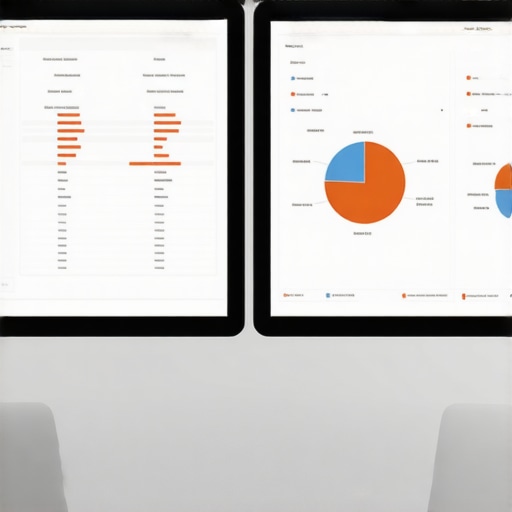
The Brutal Reality of Multi-State Tax Compliance
If you have a team spread across different states, the complexity doesn’t just double; it grows exponentially. Each state has its own ‘flavor’ of bureaucracy. When I hired my first employee in Georgia while being based in Florida, I didn’t realize I needed a specific state unemployment ID immediately. The result? A late-filing penalty that cost more than the actual tax. You have to understand the real impact of hiring out of state on your tax bill before the first paycheck is cut. ADP is great at catching these, but only if you provide the correct IDs. If you’ve found yourself with overlapping withholdings from two different states for the same person, you need to look into 4-simple-fixes-for-overlapping-state-payroll-tax-withholdings to keep your ledger clean.
Run Both Systems Together Before You Cut the Cord
Never, and I mean never, shut down Gusto the day you start ADP. You need at least one ‘Parallel Payroll’ run. This is where you calculate payroll in both systems simultaneously to see if the net pay and tax liabilities match to the penny. During my last transition, this saved me from a massive headache when I realized the fix for ghost employees in your payroll system hadn’t been applied to the new ADP profile. One terminated employee was still showing as active in the import. By running them side-by-side, I caught the error before the direct deposit hit the bank. This double-check is one of the most effective 3 ways to reduce your payroll processing time in the long run because it prevents the ‘cleanup’ phase that usually follows a rushed migration. If the numbers don’t match, you don’t move forward. It’s that simple.
Stop Trusting the Auto-Sync Button Blindly
Everyone tells you that modern software like Gusto or ADP solves all your problems. In my experience, that’s the biggest lie in the SaaS world. Automation doesn’t eliminate errors; it just makes them happen faster. When you migrate, you might think the API handshakes are flawless, but why your automated sales tax tool still requires human eyes is the same reason your payroll needs a manual audit. Software often misses the nuance of local nexus or specific state credits. I once saw a founder lose $12,000 in credits because their software simply didn’t have a checkbox for a specific regional incentive. This is why why your bookkeeper and tax preparer need to talk before you finalize any migration. If they aren’t aligned, your tax preparer will spend twenty hours cleaning up ‘automated’ mess at $300 an hour.
The Trap of the Perfect Balance Sheet
The ‘Oops’ factor usually hits when you look at your dashboard and everything looks green. You see a profit, your ADP reports are filed, and you feel like a pro. But then you check your bank account and it’s empty. This happens because why your balance sheet shows profit but your bank is empty is often tied to how payroll liabilities are recorded during a transition. If you don’t account for the timing of tax impounds, you’re flying blind. According to a study by the American Institute of CPAs (AICPA), nearly half of small business owners struggle with cash flow because they misinterpret their financial statements. They see ‘Net Income’ and assume it’s cash they can spend, failing to realize that their new payroll provider just pulled three weeks of tax liabilities in a single day. 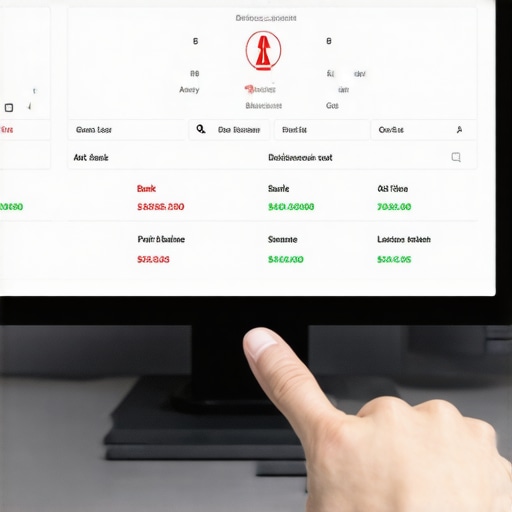
Why does my P&L statement look nothing like my actual tax return?
This is the advanced level of the ‘migration headache.’ Most business owners don’t realize that why your pl statement doesnt match your tax return is often due to the difference between book accounting and tax accounting. When you switch providers mid-year, Gusto might report on a cash basis while ADP is pushing you toward accrual-style reporting. If you don’t have a professional looking at tax filing simplified how a cpa service can save you money, you’ll likely overpay on your estimated taxes. You need to ensure that maximize your tax filing efficiency in 2025 expert cpa tips are applied to your specific setup. Don’t let a software’s ‘default’ settings dictate your tax liability. Have you ever fallen into the trap of thinking software-generated reports were the absolute truth? Let me know in the comments below, and let’s troubleshoot it together. To keep your business running smoothly, always remember that payroll strategies to streamline business operations this year require a mix of high-tech tools and high-touch professional oversight.Once the dust settles on your ADP implementation, the real work begins—and no, it isn’t more data entry. It is about building a system that doesn’t break the moment you hire your next three employees. I personally rely on a ‘Software Sandwich’ approach: I use a robust project management tool like Karbon to track my compliance deadlines and Fathom for the high-level visual reporting that ADP’s standard PDF exports simply can’t match. This setup ensures that I am never just looking at numbers; I am looking at the story they tell about my business health. Why do I obsess over this? Because why manual data entry is the biggest risk to your books is a lesson I’ve learned through thousands of dollars in avoidable penalties. According to the American Payroll Association (APA), the error rate for manual data entry can be as high as 8%, which is a staggering margin for error when you’re dealing with the IRS. 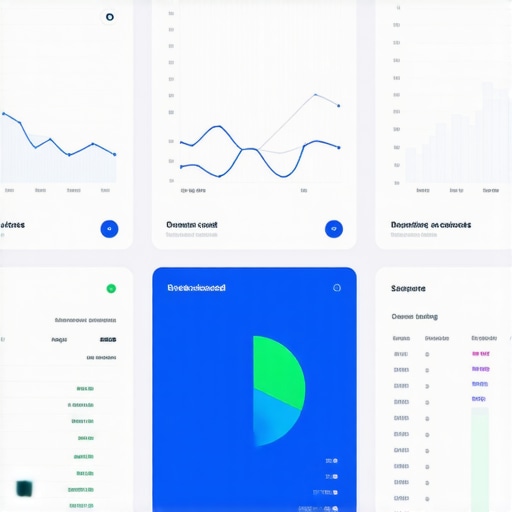
Don’t Let Your Ledger Turn Into a Junk Drawer
The biggest threat to your sanity post-migration is the ‘set it and forget it’ mentality. Your books are a living organism. If you aren’t performing a monthly ‘health check,’ you’re inviting decay. I’ve found that bookkeeping secrets every small business owner should know usually boil down to one thing: consistency. Every third Thursday, I sit down for sixty minutes to reconcile the payroll impounds against my bank statements. This simple habit is part of the checklist for closing your books in record time. If you wait until December to find a discrepancy from April, you’ve already lost. You should also make it a priority to why you should audit your own books every quarter because software updates can sometimes reset your custom mapping without warning.
How do I maintain payroll accuracy during a growth spurt?
Maintaining accuracy while scaling requires moving away from ‘checking’ and toward ‘auditing.’ As you add more headcount, the sheer volume of data makes manual checks impossible. You need to leverage top payroll management tips for growing businesses in 2025 that focus on exception reporting—only looking at the data points that fall outside of your normal parameters. This shift allows you to manage a team of fifty with the same effort you used for a team of five. It also gives you the bandwidth to focus on the tactic for better cash-flow forecasting, which is essential when your payroll liabilities start hitting five or six figures.
Where Payroll is Heading in the Age of AI
Looking forward, we are moving into an era of ‘Autonomous Accounting.’ I predict that within the next three years, the manual mapping of payroll to a general ledger will be entirely obsolete, replaced by AI agents that understand the context of every transaction. However, even with these advances, the human element remains the final guardrail. AI might categorize the payment, but it won’t understand why a specific remote employee needs a different local tax setup. That is why payroll strategies to streamline business operations this year must prioritize professional oversight over blind automation. I strongly recommend you try this one advanced tip: Run a ‘Mid-Year Tax Projection’ this week using your migrated ADP data. Compare it to your previous year’s totals to see if your withholdings are actually on track. If you find a gap now, you have six months to fix it before tax filing simplified how a cpa service can save you money becomes your primary concern.
The Hard Truth About Trusting Software Too Much
After years of running lean, I’ve realized that while automation is a gift, it can also be a Trojan horse if you aren’t careful. One of the biggest lightbulb moments I had was realizing that software companies sell you the ‘dream’ of a one-click fix, but the reality is that no algorithm replaces a clean paper trail. I learned that knowing the bookkeeping secrets every small business owner should know is actually more valuable than the software itself. It’s the difference between blindly trusting a dashboard and actually owning your financial destiny.
Another hard lesson was the disconnect between my operations and my tax prep. I used to think my payroll manager and my tax guy were on the same team by default. They weren’t. Ensuring that why your bookkeeper and tax preparer need to talk becomes a monthly priority is the only way to survive a migration like Gusto to ADP. If they aren’t looking at the same data, you’re the one who pays the price when the IRS comes knocking. Finally, remember that your data is only as good as its last audit; if you haven’t checked your mapping in ninety days, you’re likely already carrying errors.
My Go To Stack for Staying Compliant
Moving to a powerhouse like ADP requires a more sophisticated surrounding environment. I don’t just use ADP in a vacuum; I pair it with specific resources that act as guardrails for my growth. First, I highly recommend looking into tax filing simplified how a cpa service can save you money to ensure your new payroll settings are optimized for deductions, not just compliance. Secondly, to keep the big picture in focus, I constantly refer back to top payroll management tips for growing businesses in 2025 which helps me anticipate needs before I hire that next remote team member.
I also rely on maximize your tax filing efficiency in 2025 expert cpa tips to make sure my year-end isn’t a scramble of lost CSV files. These tools and frameworks aren’t just ‘nice to haves’; they are the infrastructure that allows a business to scale without the owner losing their mind over a spreadsheet.
Take Back Your Fridays and Focus on Growth
Switching payroll providers is a marathon, not a sprint, but the finish line is worth the effort. By moving to a platform that can handle your complexity, you are reclaiming the most valuable asset you have: your time. When your payroll strategies to streamline business operations this year are finally automated and verified, you stop being a data entry clerk and start being a CEO again. Don’t let the fear of a messy transition keep you stuck in a system that no longer serves your scale. You’ve done the hard work of building the business; now let the right systems protect it.
Have you ever experienced a ‘ghost’ error after switching your business software? Let me know in the comments below, and let’s figure it out together!