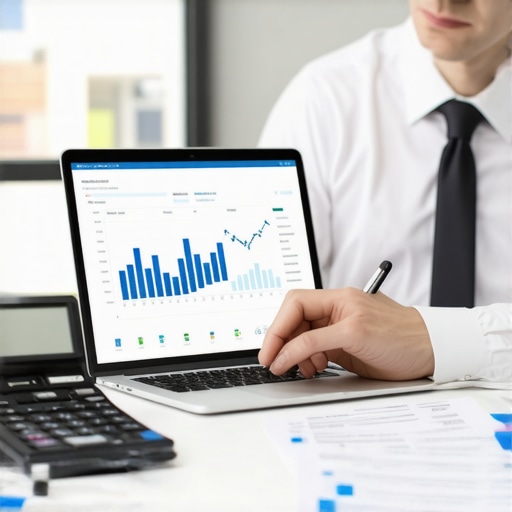
Have you ever sat down to do your taxes only to feel overwhelmed, confused, or worried about missing out on potential savings? I’ve been there. One year, I almost overlooked a crucial deduction because I trusted my old, manual methods. The stress of last-minute scrambling made me realize I needed a smarter approach. That lightbulb moment led me to discover the power of Smart CPA services for tax filing. Now, I want to share how you can do the same and make 2024 your most efficient tax season yet.
Why This Year’s Tax Filing Can Be Easier and Smarter
Let’s face it—tax season is often a source of anxiety for many small business owners and self-employed individuals. The fear of missing deductions, making mistakes, or facing audits can be paralyzing. But here’s the thing: technology has revolutionized the way we handle taxes. If you’re still relying on spreadsheets or old-school paper methods, you’re missing out on significant savings and peace of mind. Smart CPA services are designed to simplify the process, ensuring you maximize deductions and stay compliant without the headache.
Is Smart CPA Really Worth the Hype?
When I first heard about smart tax filing tools, I was skeptical. I worried about the learning curve and whether they could really make a difference. I made the mistake early on of trying to do everything manually, which led to errors and missed opportunities. It wasn’t until I adopted these innovative solutions that I saw tangible benefits—more accurate filings, faster processes, and substantial savings. If you’re questioning whether this approach is right for you, I encourage you to explore options like smart CPA tools for payroll management. The results speak for themselves and can transform how you prepare for tax season.
Set Up Your Digital Workspace
Start by choosing a reliable cloud-based accounting platform that integrates smoothly with smart CPA tools. Think of this as creating your digital office—organized, accessible, and ready for action. I once spent hours manually tracking receipts in paper folders, which led to missed deductions. Switching to an integrated system streamlined my process and prevented errors.
Gather All Financial Documents
Compile your income statements, expense receipts, payroll records, and previous tax returns. Use scanning apps to digitize paper documents and upload them directly into your accounting platform. This step is like laying out all your tools before starting a project—preparing everything ensures a smooth workflow. During my first attempt, I overlooked a few invoices, but scanning everything upfront saved me time later.
Automate Data Entry and Categorization
Leverage smart CPA solutions to auto-import bank transactions and categorize expenses automatically. This is akin to having a virtual assistant who sorts your papers while you focus on strategic decisions. I recall linking my bank accounts to the software, which then flagged duplicate transactions, saving me from potential mistakes.
Use Smart Tools for Payroll Management
Implement payroll management features within your chosen platform to handle employee wages and tax withholdings. These tools act like a payroll wizard—calculating, deducting, and filing taxes seamlessly. I once processed payroll manually, which took hours and led to errors. With smart CPA tools, I automated the entire payroll cycle, freeing up my time and reducing compliance risks. Explore smart CPA payroll management tips to optimize this process.
Review and Reconcile Accounts Regularly
Schedule weekly check-ins to reconcile your accounts using your platform’s auto-matching features. Think of this as tuning your instrument before a concert—keeps everything in harmony. I found that weekly reviews caught discrepancies early, making year-end filing smoother. Use features like efficient bookkeeping tools for ongoing accuracy.
Utilize Tax Deductions and Credits Optimization
Smart CPA solutions can suggest eligible deductions based on your expenses. This is like having a financial advisor whispering tips in your ear. During my last tax season, the software identified deductions I had missed, saving me hundreds. Make sure to review these suggestions to maximize your savings and stay compliant.
Prepare for Filing Season
Finalize your data by generating summary reports and reviewing them thoroughly. Use the software’s audit trail to verify each entry. This final step is like a dress rehearsal—ensuring everything looks perfect before showtime. Once I completed my review, I felt confident that my filings were accurate and complete.
File Electronically and Keep Digital Copies
Use your platform’s e-filing feature to submit your returns directly to tax authorities. Save all digital documents securely in the cloud for future reference. This approach is like sending your package via express delivery—fast, secure, and trackable. I once kept paper copies, but digital storage made future audits and reviews much easier.
By adopting these concrete steps and leveraging smart CPA services, you turn a daunting task into a manageable, even enjoyable, process. Ready to dive deeper? Check out Smart CPA tips for 2024 for more expert advice and tools that will revolutionize your tax season.
Many professionals believe that simply adopting smart CPA tools guarantees seamless tax filing and maximum savings. However, this assumption can lead to costly mistakes and overlooked nuances. Let’s dig deeper into the common misconceptions and advanced pitfalls that even seasoned users sometimes fall into.
Why Relying Solely on Automation Can Backfire
While automation is a cornerstone of smart CPA solutions, overdependence on it without human oversight can cause errors. Automated categorization might misclassify complex expenses or overlook industry-specific deductions. For example, a small business owner might assume all vehicle expenses are correctly coded, but without manual review, they could miss opportunities to optimize deductions. Regular audits and understanding the software’s logic are essential. To avoid this trap, familiarize yourself with features like maximizing payroll tax filing efficiency to ensure your automation aligns with your unique financial situation.
Beware of the Myth that Software Eliminates the Need for Expert Advice
A common misconception is that smart CPA tools replace the need for professional guidance. In reality, these tools are aides, not substitutes. Complex tax scenarios—such as multi-state filings or intricate deductions—still require expert interpretation. Relying solely on software can result in missed opportunities or compliance issues. Studies, like those from the Journal of Accountancy, emphasize that combining technology with expert review yields the best results. Think of smart tools as your co-pilot, not the pilot.
Advanced Mistake: Ignoring the Nuance of Industry-Specific Deductions
Many overlook that industry-specific deductions often require nuanced understanding. For instance, creative professionals or contractors may have unique expenses that generic categorization misses. Failing to manually review and customize entries can lead to under-claimed deductions or audit flags. To avoid this, leverage features like efficient payroll management tips to fine-tune your entries based on your niche. Remember, the devil is in the details—advanced users know the importance of tailoring automation outputs to their specific circumstances.
Have you ever fallen into this trap? Let me know in the comments. For those ready to elevate their tax strategy, exploring deeper insights such as top payroll tax tips for 2024 can make all the difference.
Maintaining a robust and efficient financial management system over time can seem daunting, but with the right tools and consistent practices, it’s entirely achievable. I personally rely on a combination of cloud-based accounting platforms like QuickBooks Online and smart CPA solutions that integrate seamlessly to keep my bookkeeping and payroll processes smooth and accurate. These tools are designed not just for today but to adapt as your business grows, ensuring long-term reliability.
One of my favorite strategies is setting up automated bank feeds that sync with my accounting software daily. This practice reduces manual entry errors and keeps my financial data current. Additionally, I use smart CPA features that automatically categorize transactions, which saves me hours each month and helps me identify potential deductions or expense issues early.
To stay on top of things, I schedule weekly reviews of my accounts using auto-reconciliation tools. This habit catches discrepancies before they snowball, making year-end closing much less stressful. I also leverage customized dashboards that provide real-time insights into my financial health, allowing me to make informed decisions quickly.
Looking ahead, I believe that automation and AI will continue to evolve, offering even smarter ways to manage finances. Predictive analytics, for instance, could soon help forecast cash flow issues or suggest optimal tax strategies based on historical data. Staying ahead means continuously exploring these innovations and integrating them into your workflow.
How do I maintain my financial systems over time?
Consistency is key. I recommend establishing routine checks—like weekly reconciliations and monthly reviews—and sticking with them. Regularly updating your software ensures you have access to the latest features and security patches. Also, don’t hesitate to consult expert advice periodically to fine-tune your processes and ensure compliance. For example, exploring smart CPA strategies can help you identify areas for improvement and keep your systems running at peak performance.
Remember, the goal is to create a sustainable workflow that scales with your business. By leveraging these specific tools and practices, you ensure your financial health remains strong, accurate, and ready for future growth. Try integrating automated reconciliation or setting up real-time dashboards today, and experience how much easier managing your finances becomes.
The Hardest Lesson I Learned About Smarter Tax Filing
One of my biggest lightbulb moments was realizing that relying solely on automation can cause you to miss industry-specific deductions. It’s tempting to trust the software completely, but without manual review, nuanced expenses can slip through the cracks. This taught me the importance of periodically auditing automated categories and understanding the logic behind the software’s suggestions.
3 Myths About Smart CPA Tools That Held Me Back
I used to believe that these tools would completely replace the need for professional advice. I discovered that combining software with expert insights delivers much better results, especially with complex filings like multi-state taxes or intricate deductions. Technology is a fantastic aide, but human expertise remains irreplaceable for optimal outcomes.
What Experts Won’t Tell You About Maintaining Long-Term Financial Health
Consistent, routine checks—like weekly reconciliations and monthly reviews—are vital. I found that establishing these habits prevents errors from snowballing and keeps my financial data accurate. Automation doesn’t mean you can set it and forget it; ongoing oversight is key to maintaining a healthy, scalable system.
My Essential Toolkit for Smarter Tax Filing
- QuickBooks Online: I trust it for seamless integration with smart CPA tools and real-time financial insights.
- Smart CPA platforms: Their auto-categorization and deduction suggestions save me hours and help maximize savings.
- Scanners and cloud storage: Digitizing receipts and documents makes organization effortless and audit-ready.
- Expert consultation: Periodic professional reviews ensure I stay compliant and optimize deductions beyond what software suggests.
Take the Leap and Own Your Financial Future
Don’t let fear or misconceptions hold you back from transforming your tax season. With the right tools, habits, and mindset, you can turn a stressful chore into a strategic advantage. Start small—set up automated reconciliations, review your categories regularly, and consider consulting a professional periodically. Your smarter, more confident self is just a step away. How do you plan to improve your tax filing process this year? Let me know below.
Reading this post really resonated with me, especially the point about how relying solely on automation can sometimes cause us to overlook industry-specific deductions. I used to trust my software blindly, but I’ve learned the hard way that periodic manual reviews are essential to catch nuances the software might miss. I think one of the biggest advantages of smart CPA tools is the time they save, but like any tool, they’re only as good as the user’s understanding and oversight. I recently started scheduling weekly reviews, which has made a huge difference in maintaining accuracy and confidence during tax season. Have others found that setting specific review routines helps them stay on top of any discrepancies? It would be interesting to hear how different workflows have improved accuracy and reduced stress for other small business owners or self-employed individuals.