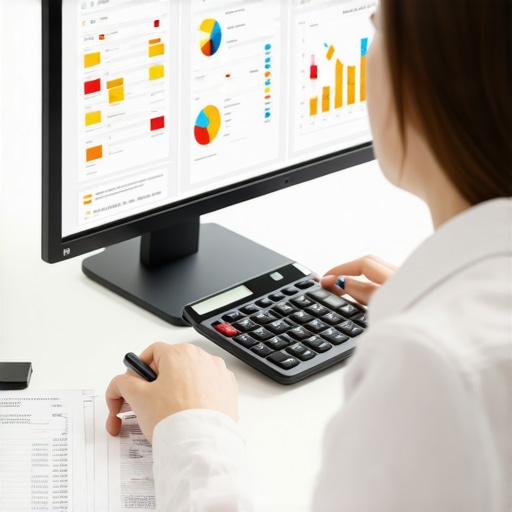
Ever spent hours tangled in spreadsheets, trying to make sense of payroll deadlines and tax codes, only to realize you missed a crucial detail? I’ve been there. One year, I nearly lost sleep over a last-minute tax filing mishap because I underestimated how complicated the process could get without the right tools. That lightbulb moment taught me a lot about what really works when it comes to managing payroll and taxes efficiently.
Why Staying Ahead Matters More Than Ever
In today’s fast-changing tax landscape, the complexity can feel overwhelming. Small business owners and solo entrepreneurs often find themselves drowning in paperwork, deadlines, and ever-evolving regulations. According to the IRS, small businesses that fail to stay organized risk penalties and audits that could be avoided with proper planning. That’s why embracing technology—specifically, smart CPA tools—can transform your approach from stressful to streamlined. If you’ve ever faced penalties or missed deadlines, you know how costly and nerve-wracking it can be. But don’t worry—I’ll show you how to turn this around.
Is This Really Worth the Hype
At first, I was skeptical about whether these tools could make a real difference. I thought, “How much easier can it get?” Turns out, I made the mistake early on of relying on manual processes and outdated software, which only added to the chaos. Now, I know that the right combination of automation and expert guidance can save you hours, money, and stress. Curious? I’ll walk you through the practical steps to harness these smart tools effectively, so you can finally breathe easy during tax season. Ready to dive in? Let’s get started with the essentials for stress-free payroll and tax management in 2024. For a comprehensive guide, check out this resource on stress-free tax filing.
Set Up Automated Data Collection
Start by integrating your financial data sources with your smart CPA software. For example, I once linked my bank accounts and expense tracking apps directly to my payroll system, which automatically imported transactions and categorized expenses. This eliminated manual entry and minimized errors, saving me hours during tax season. Use tools that sync seamlessly with your existing platforms to ensure real-time data updates. Explore options like cloud-based accounting integrations to keep everything connected and accessible.
Link Bank Accounts and Payment Platforms
Connecting your accounts not only streamlines data collection but also provides accurate cash flow insights. When I connected my business bank account, I received instant notifications of transactions, which helped me verify payroll entries quickly and catch discrepancies early.
Implement Smart Payroll Scheduling
Set clear, automated schedules for payroll processing. I used to forget deadlines, leading to late payments and penalties. Now, I schedule recurring payroll runs a week in advance, with automatic reminders. This ensures timely salary payments and compliance with tax deadlines. Many smart CPA tools offer calendar integrations that alert you before critical dates, reducing last-minute scrambling.
Configure Reminders for Tax Deadlines
Use your software to send notifications for upcoming tax filings and payments. I configured alerts that pop up a month before each due date, giving me ample time to prepare documentation and make payments without stress. This proactive approach keeps you ahead of deadlines and avoids penalties.
Leverage Automation for Tax Calculations
Automation is your best friend. I once manually calculated quarterly taxes, which was prone to mistakes. Switching to automated tax calculators within my CPA software, I entered my income figures, and the system generated accurate estimates instantly. This not only increased accuracy but also freed up my time for strategic planning.
Use Pre-Configured Tax Templates
Many tools come with templates tailored to your industry and business size. These templates automatically account for applicable deductions and credits, ensuring you don’t miss out on savings. Regularly update these templates based on new regulations to stay compliant.
Regularly Review and Reconcile Data
Consistency checks are vital. I set weekly reconciliation routines to compare bank statements with payroll records. This practice uncovered discrepancies early, preventing costly audits later. Use dashboards that visualize your payroll and tax data to spot anomalies at a glance and correct them promptly.
Conduct Monthly Audits
Schedule short audit sessions to review payroll accuracy and tax submissions. This habit keeps your data clean and compliant, reducing last-minute surprises during tax season.
Utilize Expert Support When Needed
While automation handles routine tasks, complex questions benefit from expert advice. I hired a CPA familiar with my industry’s nuances, which gave me confidence in my filings. Many smart CPA services offer on-demand consultations, making expert support accessible without high costs. Check out this comprehensive guide for more insights on combining automation with expert help.
Many small business owners believe that implementing any payroll and tax automation tool automatically guarantees compliance and efficiency. However, this is a dangerous oversimplification. In my experience, one of the most overlooked nuances is that automation without proper setup and oversight can lead to costly errors. For example, relying solely on default settings in payroll software might cause you to miss industry-specific deductions or regional tax nuances, resulting in penalties and audits. Many assume that automation replaces the need for expert review, but in reality, it should complement professional guidance, especially when regulations change rapidly. According to a report by the IRS, small businesses that fail to customize their payroll processes to fit their unique circumstances are more likely to face compliance issues. Therefore, it’s critical to understand the detailed features of your tools and regularly review automated outputs to catch discrepancies early. This proactive approach helps avoid the common myth that software is infallible and that once set up, it runs perfectly forever. Instead, think of automation as a powerful assistant that requires ongoing calibration and expert oversight, not a set-it-and-forget-it solution. Have you ever fallen into this trap? Let me know in the comments.
Keeping your payroll and tax management systems running smoothly over time requires more than just initial setup. Regular maintenance, thoughtful tool selection, and proactive scaling are essential to ensure continued efficiency and compliance. In my experience, the key to long-term success is choosing tools that not only meet your current needs but also adapt as your business grows.
Why Regular Upkeep Matters
Even the most sophisticated payroll software can become outdated or misaligned with new regulations if not regularly reviewed. I recommend scheduling quarterly audits of your systems to verify data accuracy and ensure all automation rules reflect the latest tax codes. This practice helps catch discrepancies early, preventing costly errors down the line. For ongoing guidance, consult this comprehensive resource on maintaining stress-free tax processes.
Tools I Trust for Longevity
In the realm of payroll and tax management, I personally rely on QuickBooks Online combined with Gusto. QuickBooks provides robust data reconciliation features, while Gusto’s automated tax filings and compliance updates significantly reduce manual effort. Both tools integrate seamlessly, allowing me to monitor payroll health in real-time and make adjustments as needed.
For more advanced automation, I use Xero, which offers customizable workflows and detailed reporting, helping me identify bottlenecks before they escalate. These tools are scalable, meaning my setup can grow with my business without requiring a complete overhaul.
How do I keep my systems effective over time?
Consistency is vital. I set up monthly review routines, leveraging dashboards that highlight irregularities in payroll or tax data. Additionally, I subscribe to updates from the IRS and my local tax authorities to stay ahead of regulatory changes. Using smart CPA tools that automatically incorporate these updates ensures compliance and saves me from manual tracking.
Furthermore, I recommend periodically testing your automation rules—like tax calculation formulas or payroll triggers—to confirm they still align with current laws. When in doubt, consulting with a CPA familiar with your industry can help fine-tune your systems and avoid costly mistakes.
Remember, maintaining your payroll and tax systems isn’t a one-and-done task. It’s an ongoing process of review, update, and scalability. By staying vigilant and using reliable tools, you can keep your financial management stress-free well into the future. Ready to upgrade your system? Try configuring automated alerts for tax deadlines to stay ahead — it’s a game changer!
The Hardest Lesson I Learned About Managing Payroll and Taxes
One of my biggest realizations was that automation alone isn’t enough. Early on, I relied heavily on default settings in my payroll software, only to discover I was missing industry-specific deductions and regional tax nuances, which almost led to penalties. The lightbulb moment? Regularly reviewing and customizing automation rules is essential to stay compliant and avoid costly errors.
Three Insights That Changed My Approach
- Personalized Automation Matters: Generic settings can be dangerous. Take the time to tailor your payroll processes, especially as regulations shift, to ensure accuracy and compliance.
- Expert Guidance Complements Technology: While tools streamline routine tasks, complex questions require a CPA who understands your industry. Their insights help you fine-tune your systems and prevent mistakes.
- Ongoing System Checks Are Crucial: Regularly scheduled audits and updates keep your payroll and tax processes aligned with current laws, saving you from surprises during tax season.
My Go-To Resources for Staying Ahead
- QuickBooks Online: I trust it for its robust data reconciliation features and seamless integrations, making monthly reviews straightforward.
- Gusto: Its automated tax filings and compliance updates significantly reduce manual effort and help me stay compliant effortlessly.
- Xero: For more advanced automation, Xero’s customizable workflows and detailed reporting have been invaluable in spotting potential issues early.
Embrace the Challenge and Grow
Managing payroll and taxes in 2024 can feel overwhelming, but with the right mindset and tools, you can turn it into a strategic advantage. Keep reviewing, updating, and learning—your business’s financial health depends on it. Ready to upgrade your payroll system? Start by configuring automated alerts for tax deadlines; it’s a game changer!