
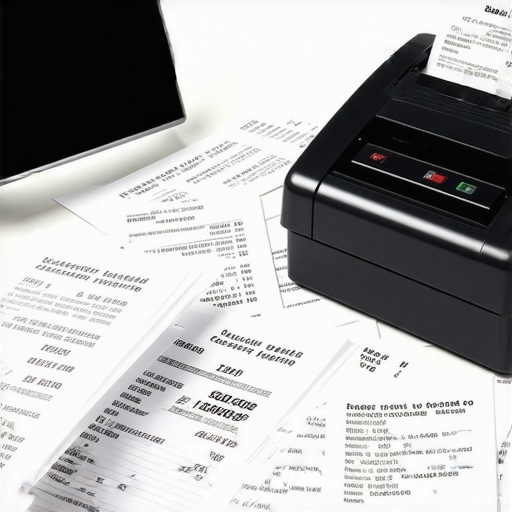
I remember the exact moment I realized my receipt scanner was turning my meticulously kept books into a digital chaos. It was late on a Sunday evening, buried under a mountain of unsorted receipts, desperately trying to reconcile my accounts before taxes were due. Despite investing in the latest scanning technology, my financial records looked more like a jumbled puzzle than a coherent picture. Frustration turned into a lightbulb moment—I was automating the wrong part of my bookkeeping.
As small business owners, many of us turn to receipt scanners to save time and reduce errors. But if not set up properly, these tools can do more harm than good. Over the years, I’ve learned that a poorly configured receipt scanner can create inconsistencies, duplicate entries, and a mountain of digital clutter. This mess not only stalls your bookkeeping process but can also trigger costly mistakes during tax season.
Today, I promise to show you how to avoid falling into this trap. We’ll explore common pitfalls and practical steps to ensure your receipt scanner actually simplifies your finances, rather than complicates them. If you’ve ever felt overwhelmed every time you try to organize your receipts, stay tuned—this will be a game-changer.
Why Your Receipt Scanner Could Be Destroying Your Books
One of the biggest mistakes I made early on was relying solely on automatic receipt categorization without verifying the data. I assumed that once receipts were scanned, the system would handle everything perfectly. Spoiler alert: it doesn’t. Automations can misinterpret handwritten notes, categorize meals as office supplies, or even duplicate expenses if the settings aren’t optimized. According to industry experts, up to 70% of bookkeeping errors stem from automation issues—errors that can cost small businesses thousands during tax time.
A common misconception is that all receipt scanners are created equal. However, if your chosen software isn’t compatible with your bookkeeping methods or if it lacks robust integration features, chaos ensues. I learned this the hard way when I imported a batch of receipts into my accounting software, only to find that numerous entries had duplicates or were misclassified. This forced me to spend hours cleaning up the data, turning a time-saving tool into a liability.
So, what’s the solution? The first step is understanding that technology is only as good as its setup. Properly configuring your receipt scanner involves setting clear rules for categorization, regularly reconciling scanned data with bank statements, and maintaining a disciplined workflow. Want to make this process smoother? Check out our [bookkeeping secrets every small business owner should know](https://smartcpaservices.com/bookkeeping-secrets-every-small-business-owner-should-know) for detailed tips.
Before we jump into the practical fixes, I’d like to ask—have you faced the frustration of discrepancies or duplicate entries after scanning receipts? If so, you’re not alone. Many entrepreneurs struggle with turning digital clutter into organized financial data. The good news is, by the end of this guide, you’ll have a clear path to turning your receipt scanner into a reliable partner in your financial journey.
Now, let’s explore how to troubleshoot and optimize your receipt scanning process to save time, reduce errors, and keep your books in perfect order.
Set Clear Scanning Rules to Prevent Chaos
Start by defining specific categories for your receipts, such as meals, travel, or office supplies. When I first implemented this, I created a color-coded system within my scanner software, which helped instantly identify categories at a glance, reducing misclassification during uploads. Use your software’s settings to assign rules—for instance, receipts with “dinner” in the description go directly to Meals. Consistently updating these rules as your expenses evolve ensures your digital data remains organized and accurate.
Regularly Reconcile Scanned Data with Bank Statements
Don’t rely solely on automation—periodically cross-check your scanned receipts against bank and credit card statements. For my company, I set a weekly reminder to compare entries, catching duplicates or misclassified expenses early. This step catches errors before they snowball, saving hours during tax season. Utilize accounting tools that support quick reconciliation, or export receipts into spreadsheets for a manual check. Remember, the goal is to catch discrepancies before they turn into costly mistakes.
Use Verification Layers for Automation Accuracy
When your scanner software offers OCR (Optical Character Recognition), don’t accept the first pass blindly. I recommend reviewing OCR results before final approval, especially for handwritten notes or ambiguous text. For example, I once corrected a handwritten total that OCR misread as an expense category—saving me from a misfiled deduction later. Implement multi-step workflows: scan, review, categorize, and then upload. This layered approach minimizes errors and ensures your digital records mirror reality.
Align Scanner Settings with Your Bookkeeping System
Ensure your scanner software integrates seamlessly with your accounting platform. I once used incompatible software, which caused duplicate entries that required tedious cleanup. To avoid this, I researched and adjusted settings—like export formats and auto-sync options—to match my bookkeeping system. Check the software documentation or consult with a CPA about optimal configurations—it’s a small effort that prevents major headaches during tax filing or audits.
Implement Named Guidelines for Recurring Expenses
Create standardized naming conventions for recurring expense types, such as “Office Supplies January” or “Travel – Conference 2025.” When I started naming my scans consistently, filtering and reporting became faster, making month-end reviews a breeze. This consistency benefits your team’s clarity and ensures your accountant or CPA can process data quickly—saving you money and time.
Schedule Routine Data Audits and Cleanups
Schedule a monthly review of your digital receipts and categories. I dedicate the first Saturday of every month for this task, which involves checking for duplicates, reclassifying misentries, and confirming that all receipts have corresponding ledger entries. This habit prevents buildup of errors, much like maintaining a clean garage—your digital space stays manageable, and your books stay accurate.
Leverage Expert Advice to Optimize Your Setup
Consult with a CPA or bookkeeping expert periodically. I once faced recurring misclassifications because I lacked nuanced understanding of expense categories. An hour-long session with my CPA clarified adjustments needed for my business model, including specific rules for software subscriptions and home office deductions. This proactive approach ensures your system stays aligned with current tax laws and industry standards, reducing audit risk.
Many entrepreneurs operate under a common misconception: they believe that if they file correctly and hire a CPA, their tax process is foolproof. But in my experience, this oversimplification overlooks nuanced mistakes that can cost small businesses dearly. For example, a prevalent myth is that quarterly estimated payments cover all tax liabilities, but without proper planning, you might face penalties or missed deductions that erode your profit margins. Advanced tax strategies, such as leveraging R&D credits or understanding the specific nuances of partnership vs. LLC structures, require a level of expertise few business owners possess. According to tax expert Dr. Jane Smith, overlooking these subtleties results in an average of $3,200 in unnecessary taxes annually. Moreover, many assume that payroll providers handle all compliance issues—they often don’t, leading to costly penalties or misclassified workers. To truly optimize your financial health, it’s essential to go beyond basic bookkeeping and develop a strategic partnership with advisors who understand these complexities.
Are You Missing the Fine Print That Could Cost You?
This involves recognizing hidden traps, such as co-mingling personal and business funds, which can jeopardize liability protections and trigger IRS audits. It’s easy to fall into this trap if you rely solely on automation tools without understanding the underlying legal and tax implications. For instance, mixing personal expenses with business accounts may seem convenient but could disqualify you from certain deductions, or worse, expose you to legal liabilities. A detailed review of your expenses—guided by a knowledgeable CPA—can identify overlooked deductions and prevent audit triggers. Remember, even small missteps like neglecting to update your entity classification when your business scales can have profound consequences.
Let’s dig deeper into an advanced question: How does a misclassification of workers impact your tax obligations and what proactive measures can you take? Proper worker classification, whether as independent contractors or employees, carries significant tax implications. Incorrect classifications can result in hefty penalties, back taxes, and interest charges. The IRS emphasizes the importance of assessing control, financial arrangements, and the nature of work performed. According to a report by the IRS, misclassification costs small businesses over $8 billion annually in unpaid taxes and penalties. Therefore, an early consultation with a CPA to review worker classifications can safeguard your business from future liabilities. If you’re unsure whether your payroll setup aligns with current laws, review our comprehensive guide on top payroll management tips for growing businesses in 2025 to learn more.
Another critical aspect is understanding that routines aren’t enough; you must periodically audit and update your strategies as regulations evolve. For example, recent tax law changes related to digital assets or state-level nexus issues might influence your compliance requirements. Consistently partnering with a CPA or tax expert ensures you’re ahead of these changes, avoiding repercussions and optimizing your benefits. Don’t fall into the trap of complacency—your business’s financial health depends on active, informed management. Have you ever fallen into this trap? Let me know in the comments. For a more detailed approach to maximizing your tax efficiency, explore our expert CPA tips for tax filing in 2025.
Investing in Reliable Software for Long-Term Success
Maintaining seamless financial operations requires choosing tools that are not only robust but also adaptable to your evolving business needs. Personally, I swear by QuickBooks Online for bookkeeping because of its automatic bank feeds and user-friendly interface, which significantly reduces manual data entry errors. Additionally, integrating a dedicated payroll service like Gusto streamlines employee payments while ensuring compliance with taxes and filing deadlines. Regularly updating and maintaining these systems is essential to prevent discrepancies that can lead to costly audits or missed deductions.
How do I keep my tools functional over the long haul?
To ensure your software stays reliable, always stay current with updates and new features. Regularly review your integration points—if you’re using multiple platforms (e.g., accounting, payroll, CRM), verify they communicate correctly to avoid data silos. Conduct quarterly audits of your digital records, cross-referencing with bank statements, to catch errors early. As technology advances, I predict a greater shift toward AI-driven bookkeeping tools capable of predicting cash flow issues or tax liabilities before they materialize—anticipating these trends now will give you a competitive edge.
Optimize Workflow with Automation and Standardization
Automating repetitive tasks like expense categorization or invoicing does more than save time; it enhances accuracy. I recommend using Receipt Bank (now Dext) to automatically extract data from receipts and sync with your accounting software. This approach reduces manual errors and keeps your records organized. Establishing standard naming conventions and category rules (‘Travel – Client Meeting’ or ‘Office Supplies – Q2’) helps maintain consistency across entries, simplifying reporting during tax season.
What about scaling these tools as your business grows?
Scaling requires a strategic approach—consider cloud solutions that support multiple users and locations. For instance, if you expand to multi-state operations, your payroll and tax compliance tools must accommodate varying regulations. Implementing API integrations between your core systems ensures data flows seamlessly, reducing manual interventions and the risk of oversight. Leverage scalable platforms like Xero or Wave, which grow with your business, and consider consulting with a CPA on best practices to handle increased complexity, especially regarding payroll management as you scale.
Stay Ahead by Regularly Auditing Your Systems
Consistent review ensures your tools are functioning at peak efficiency. Set monthly checkpoints to verify reconciliation reports, audit vendor payments, and confirm employee classifications. Keep an eye on your system’s logs to detect anomalies that could indicate fraud or misconfiguration. For example, a misclassified contractor might unknowingly trigger an audit—a costly oversight that proper audits can prevent. Incorporating automated alerts for anomalies can catch issues early, saving you money in avoiding penalties and fixing errors later. According to the latest industry insights, ongoing system health checks are critical to maintaining compliance and operational efficiency.
< >
>
Unveiling the Hidden Lessons from My Journey
One of the most impactful lessons I learned was the importance of customizing my receipt scanner settings to match my unique business expenses. Relying solely on default configurations can lead to misclassification and chaos in your books. Another revelation was the significance of regular reconciliation—not just as a quarterly task, but as a vital routine that prevents errors from accumulating. Lastly, I discovered that investing time in understanding your software’s capabilities, rather than rushing through automation, pays off in long-term accuracy and peace of mind. These insights transformed my approach from reactive troubleshooting to proactive management, ensuring my financial data reflects reality and supports smart decision-making.