

I remember sitting on my office floor last year with a mountain of crinkled paper and a very expensive piece of plastic that promised to solve all my problems. I’d just bought a top-of-the-line receipt scanner, convinced that I was finally leveling up my business. I scanned everything in a blur of false productivity. Lunch meetings, gas station stops, even that one random Target run for office supplies. I felt like an efficiency god. Then came tax season. My CPA called me, and the first thing he said was, Why are we deducting a three-tier wedding cake as a printer repair? The scanner had misread the header, and because I had not checked the work, my books were a complete disaster. It is a classic mistake, and if you are not careful, your high-tech solution will create a low-tech nightmare for your small business bookkeeping. [image_placeholder_1]
The Automated Chaos You Did Not Sign Up For
The promise of set it and forget it is the biggest lie in the world of financial tech. We are told that these apps will magically categorize our spending and keep us audit-ready, but the reality is often a pile of duplicate transactions and mislabeled expenses. I learned the hard way that when you stop looking at the details, the software starts making best guesses that are frequently wrong. Today, I am going to show you exactly why your scanner is failing you and how to take back control without going back to the dark ages of paper folders and shoeboxes full of faded thermal paper.
Is a Receipt Scanner Actually Worth the Headache?
You might be wondering if it is time to just throw the whole thing in the trash and go back to spreadsheets. I have been there. The skepticism is real when you realize your time-saving tool just added three hours of cleanup to your weekend. But the truth is, the tool isn’t the problem—it is the lack of a human-led system. Even the best modern scanning apps need a human eye to ensure that Home Depot does not get filed under Home Office when it was actually a new lawnmower for your personal backyard. Research from the University of Melbourne highlights that while OCR technology is improving, human oversight remains the last mile of data accuracy in financial contexts, as machines still struggle with blurred text and complex vendor logos.
How Lazy Automation Breaks Your Ledger
When we rely too heavily on the auto-post feature, we lose the pulse of our business. I once let a scanner run wild for a full quarter, and by the time I sat down for a monthly cash flow review, my profit and loss statement looked like a work of fiction. It was not just about the tax risk; it was about the fact that I did not actually know where my money was going. A scanner can read numbers, but it cannot understand intent. It does not know that a meal at a local bistro was a high-stakes client pitch or just you grabbing a quick sandwich because you forgot to pack lunch. Without that context, you are essentially flying blind. Have you ever looked at your digital ledger and realized you had no idea what half the entries actually were? If so, you are not alone, and it is time we talk about how to bridge the gap between digital convenience and actual financial truth.Think of your receipt scanner like a high-speed blender. It is incredibly efficient at processing raw material, but if you accidentally drop a silver spoon into the mix, the whole machine will self-destruct. In your financial world, that spoon is a misread date or a personal purchase that accidentally slips into the business feed. I once spent an entire Saturday afternoon unravelling a mess where I had scanned a $400 Costco receipt. My scanner, being helpful but literal, categorized the entire amount under Office Supplies because the first item was a box of pens. It completely missed the six cases of wine and the giant rotisserie chicken hiding further down the list. This is why you must learn how to keep your personal and business expenses separated at the source, rather than trying to perform surgery on your ledger weeks later. 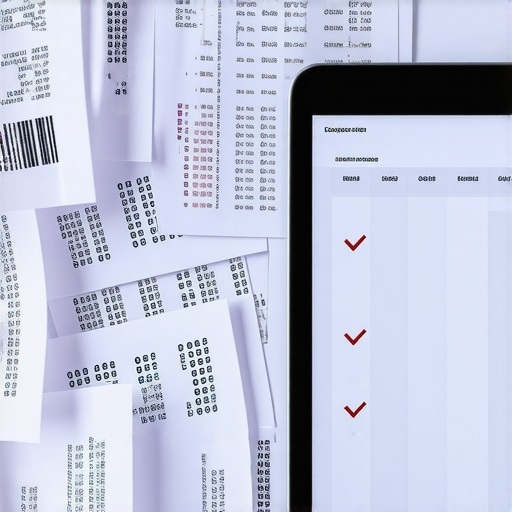
Turn Off the Auto-Post Feature Immediately
The first step to reclaiming your sanity is to disable the setting that allows your scanning app to post directly to your accounting software without approval. It feels like a shortcut, but it is actually a trap. When you allow auto-posting, you are giving an algorithm the keys to your financial kingdom. Instead, set your app to a review status. This forces you to look at the vendor name, the tax amount, and the category before it ever touches your permanent records. This simple change is the simple move to cut your audit risk by half this year because it ensures every entry has been verified by the person who actually spent the money.
Why Your Scanner Needs a Human Chaperone
Even the smartest OCR technology can be fooled by a crumpled piece of paper or a strange font. If you are not careful, you will end up with duplicate transactions because the scanner did not recognize that a digital invoice and a paper receipt were for the same lunch.
Set Aside a Weekly Review Window
Do not wait until the end of the month to look at your scans. I block out twenty minutes every Friday morning to go through the digital inbox. This is the only way to ensure that why your business bank feed still needs human oversight is not just a theoretical concept, but a daily practice. During this time, I check for missing tax information and split transactions that contain both business and personal items.
Stop the Syncing Madness
One of the most common mistakes is connecting every single payment app to your main ledger. You should stop syncing personal apps to your business ledger immediately. If you use Venmo for both your business shipments and your Friday night pizza, the scanner will eventually merge them into a single, confusing mess.
The Checklist for Accurate Digital Entry
Every time you scan, you should verify three specific data points. First, check the date. Scanners often mistake the order date for the payment date, which can throw off your monthly reconciliation. Second, verify the total tax paid. This is crucial for those trying to maximize your tax filing efficiency in 2025. Finally, look at the payment method. If the scanner defaults to your main business credit card but you actually paid with a different account, you will spend hours hunting for a phantom transaction that does not exist. Adding these steps to the checklist for closing your books every month will turn your scanner from a liability into a legitimate asset.
The mistake I see most often isn’t a technical error; it is a mindset problem. We are conditioned to think of financial management as a task to be completed, rather than a strategy to be built. Most entrepreneurs believe that if the bank balance is positive and the scanner hasn’t crashed, they are winning. But I’m here to tell you that the real cost of waiting until tax season to talk to a CPA is often measured in thousands of dollars of missed opportunities, not just accounting fees. When you treat your financials like a passive record-keeping chore, you miss the nuance that separates a surviving business from a scaling one.
Stop Treating Your CPA Like a Seasonal Tax Prep Clerk
Everyone says you only need an accountant in April, but in my experience, that is the fastest way to overpay the IRS. A common myth is that high-end accounting services are only for corporations with eight-figure revenues. The truth? A strategic partner helps you identify the strategic move to reclassify expenses before year-end, long before they become a permanent part of your tax return. If you only look at your books once a year, you are performing an autopsy on your business rather than a wellness check. A study by the National Small Business Association (NSBA) found that nearly 40% of small business owners spend over 80 hours a year on federal taxes alone, yet many still miss major deductions because they lack a proactive strategy. If you aren’t talking to an expert monthly, you aren’t saving money; you are just delaying the inevitable realization that your ledger is messy.
Is Your Current P&L Statement Actually Lying to You?
This is where the nuance really kicks in. You might see a healthy profit on paper, but if you haven’t accounted for depreciation or owner draws correctly, you might be closer to the red than you think. This is exactly why your current P&L statement is lying to you—it shows you what happened, but not necessarily what is currently happening with your actual cash position. Advanced users know that a profit and loss statement is only one piece of the puzzle. Without a verified balance sheet, your P&L is just a list of guesses. I’ve seen founders celebrate a 20% margin while their balance sheet was drowning in unrecorded liabilities. Don’t let a simple software dashboard fool you into a false sense of security. 
The Dangerous Myth of the Miscellaneous Category
Here is the “oops” factor that gets everyone: the “Miscellaneous” or “Other Expense” category. If you have more than 1% of your total spending sitting in a bucket labeled “Misc,” you are essentially sending a handwritten invitation to the IRS for an audit. It is a massive red flag. Software loves to dump things there when it doesn’t recognize a vendor, and if you’re in a rush, it’s tempting to just leave it. This is the secret to scaling your business without increasing audit risk—you must eliminate the ambiguity. Every dollar needs a home and a purpose. When you finally clean up that chart of accounts, you’ll likely find that you’ve been overspending in areas you didn’t even realize were a drain on your cash flow. Have you ever looked at your year-end report and realized you had thousands of dollars in a ‘Misc’ category? Let me know in the comments how you handled the cleanup.
Once you have moved past the chaos of misread receipts, the real work begins. It is not just about cleaning up old mistakes; it is about building a fortress that keeps the chaos from coming back. I finally realized that my time was better spent on growth than on data entry, so I refined my digital stack to do the heavy lifting while I focused on the steering wheel. Today, I rely on a combination of cloud accounting and automated extraction tools, but with a strict manual sign-off process. If you want to stop the madness, you should stop chasing receipts and use these three apps instead to create a closed-loop system where nothing gets lost in the digital ether.
The Digital Stack That Actually Keeps Me Sane
My workflow changed the day I stopped using a generic scanner and started using a dedicated document management tool like Dext. Why? Because it does not just see numbers; it maps them directly to my chart of accounts. However, the secret sauce is not the software—it is the integration. I have linked my tools so that every digital invoice is automatically fetched, but nothing is posted until I have had my morning coffee and a quick look at the dashboard. This ensures that the move that prevents duplicate vendor payments is baked into my Friday routine, rather than being a desperate search during tax season.

How do I maintain my financial records over time?
Maintenance is where most founders fail. They start strong and then get busy. I have found that the only way to stay ahead is to treat my books like a client project. Every Friday, I perform a Mini-Close. I check the bank feed, verify the scans, and ensure that I am not missing any documentation for larger purchases. By following the checklist for closing your books every month, I have reduced my year-end stress to almost zero. The American Institute of Certified Public Accountants (AICPA) notes in their digital transformation reports that firms utilizing continuous reconciliation processes see a significantly lower rate of year-end adjustments, which directly correlates to lower audit risk and higher investor confidence. If you are not doing this, you are effectively leaving your financial fate to chance.
Why Scaling Payroll is the Ultimate Stress Test
As my business grew, the biggest headache was not taxes—it was people. Moving from a solo operation to a team means navigating a minefield of local, state, and federal regulations. You need to implement payroll strategies to streamline business operations this year before you hire that first out-of-state employee. I learned the hard way that hiring a remote developer in another state can trigger a nexus nightmare if you do not have the right tax withholding set up. This is exactly where you should look for top payroll management tips for growing businesses in 2025 to avoid the fines that come with simple administrative oversights. I predict that in the next few years, AI will handle 90% of the categorization, but the human Compliance Architect will become the most valuable person in your company.
If you really want to maximize your tax filing efficiency in 2025, you have to stop looking at payroll as a button you push and start seeing it as a strategic tax lever. To get started, I challenge you to try one thing this week: block off just twenty minutes this Friday to reconcile your bank feed manually. You will be shocked at what you find lurking in the margins. If you are dealing with workers across state lines, make sure you understand the secret to managing remote payroll without state tax fines before the next filing deadline hits.
What No Software Salesperson Will Tell You About Your Ledger
After years of wrestling with ‘smart’ tools, I’ve realized that the most expensive software is the one you trust blindly. Real bookkeeping isn’t about capturing every scrap of paper; it’s about the narrative those papers tell. I learned that an empty digital inbox doesn’t mean your books are ready for an audit—it just means the mess is now invisible. You have to be the architect of your own data, ensuring that every transaction reflects the reality of your operations. If you’re feeling overwhelmed, remember that bookkeeping secrets every small business owner should know usually start with simplicity and consistency, not more gadgets.
One major lightbulb moment for me was realizing that my CPA isn’t just a data checker; they are a strategic advisor. When I stopped trying to hide my messy receipts and started asking for a checklist for every owner before their first CPA meeting, everything shifted. I moved from being a victim of my own growth to being in total control of my cash flow. True business intelligence comes from the human eye, not the machine sensor.
My Personal Tech Stack for Stress-Free Accounting
To keep the wheels turning without losing my mind, I’ve narrowed my focus to a few key areas. First, I highly recommend using a dedicated expense management app like Dext or Ramp. These tools are far superior to a standard scanner because they allow for better categorization rules. If you want to simplify your life, you should stop chasing receipts and use these three apps instead to create a seamless flow into your accounting software. Secondly, never underestimate the power of a clean chart of accounts. I used to think more categories were better, but learning how to clean up your chart of accounts without deleting data saved me hours of head-scratching every month. Lastly, I keep a digital ‘tax folder’ in the cloud for any big-ticket items, which makes tax filing simplified how a CPA service can save you money a reality rather than a dream.
Time to Take the Reins of Your Business Future
You don’t need to be a math genius to run a successful business, but you do need to be honest with your numbers. The transition from a chaotic shoebox (digital or physical) to a streamlined system is the single greatest gift you can give your future self. By implementing strategies to maximize your tax filing efficiency in 2025 now, you are building a foundation that can actually scale. Don’t let the fear of a messy ledger stop you from growing. Start today, one receipt at a time, and watch how much lighter your business feels. Have you ever found a hilarious or terrifying mistake your automated scanner made? Let me know your biggest ‘oops’ moment in the comments below!