

I was sitting on my floor at 2:00 AM, surrounded by coffee-stained printouts, trying to figure out why my PayPal balance was exactly $42.18 off from my ledger. It wasn’t the money; it was the principle. I had spent six hours chasing a ghost, and the screen just kept mocking me with its blue glow. That was the moment I realized my DIY spreadsheet was a disaster—a parasite eating my business’s growth. I felt like a failure because I’m supposed to be the one who has it all together, but PayPal transactions are a different beast entirely. They don’t behave like a standard bank account, and if you treat them like one, you’re going to lose your mind. [IMAGE_PLACEHOLDER]
The Moment I Stopped Chasing Every Single Penny Manually
Let’s be honest: when you first started your business, you probably thought you could just eyeball the numbers. I did. I assumed bookkeeping secrets were just for big corporations, but then I hit my first tax season. PayPal creates a confusing web of gross amounts, processing fees, and currency conversions that make tax filing simplified feel like a total pipe dream. I once made the massive mistake of double-counting my transfers because I didn’t understand how the money moved between my PayPal wallet and my business bank account. It led to a classic case of duplicate transactions that took weeks to untangle. Today, I’m going to show you how to move past the ‘sync and pray’ method. We are going to end the manual grind and set up a system that actually works. Have you ever felt like you were drowning in a sea of tiny transactions that just won’t balance?
Is This Actually Worth the Technical Headache?
You might think that setting up a real automated system sounds harder than just doing it by hand for another month. It isn’t. In fact, manual data entry is a ticking time bomb for your accuracy. Research from MarketWatch indicates that nearly 88% of spreadsheets contain significant errors. You don’t want your balance sheet to look like fiction when you finally apply for a business loan or try to scale. We are going to bridge the gap between your digital sales and your ledger without you having to touch a single cell in Excel.
Your New Workflow Starts With Better Data Feeds
The first step isn’t buying a fancy new app; it’s a mindset shift. You have to stop treating PayPal like a bank account and start treating it like a clearinghouse. If you don’t, you’ll constantly wonder why your bank statement and ledger don’t match at the end of the month. I learned the hard way that manual spreadsheet accounting is the most expensive way to run a business because of the time it steals from you. I’m going to walk you through how to map your transaction fees so they categorize themselves automatically, leaving you with clean books and zero stress.The first real move is connecting your PayPal account directly to a cloud accounting tool. If you’re still typing numbers, you’re inviting the errors that make your profit and loss statement unreliable. I remember setting up my first direct feed; it felt like magic until I realized the “sync” was just dumping data without context. You need a bridge—an app or a native integration—that understands the difference between a sale and a refund. Without this, you’ll find why your business bank feed still needs human oversight the hard way when your balances don’t match.
Ditch the Manual Entry for a Real Data Sync
Many entrepreneurs try to save a few bucks by doing it themselves, but why manual expense tracking still costs you 10 hours a week is a lesson learned in lost time. When I first tried to DIY my books, I didn’t realize that every single transaction had three components: the gross sale, the fee, and the net deposit. If you only record the net, you’re underreporting your income and your expenses, which makes your CPA’s life miserable. 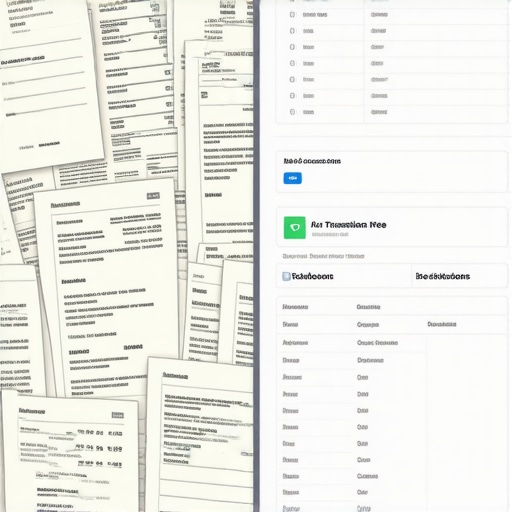
Separate Your Revenue from the Middleman’s Cut
PayPal takes a bite out of every transaction, and if you aren’t careful, your books will only show the “net” amount. This is a huge mistake. Your gross revenue needs to be recorded accurately for tax purposes. If you only record what hits your bank, you’re missing the expense side of the equation. I once spent a whole weekend trying to reclassify expenses before year-end because I had ignored the fees for six months. This is where maximize your tax filing efficiency in 2025 expert cpa tips become relevant—getting the data right at the source.
Stop the Nightmare of Double-Counting Your Own Money
Transfers are the “ghosts” of PayPal bookkeeping. When you move money from PayPal to your business checking, it isn’t income—it’s a transfer between assets. Most automated systems see that incoming bank deposit and want to call it “Sales.” If you let it, you’ve just double-taxed yourself. This is exactly where the fix for duplicate transactions in your cloud accounting app becomes your best friend. You must categorize these as transfers, not revenue. Last year, I had a client who “synced” their PayPal but didn’t set up the mapping correctly. By the time they reached out for tax filing simplified, their revenue was inflated by $40,000 because every transfer from PayPal to the bank was counted as a new sale. We had to clean up the chart of accounts without deleting data, transaction by transaction.
Map Every Transaction Fee to Avoid Audit Stress
To make this work, you need to set up a specific ‘PayPal Fees’ expense account in your ledger. Then, use a sync tool that splits the transaction automatically. This ensures your balance sheet is the key to getting a business loan because it shows true gross revenue and true operating costs. If you are also managing a team, ensure you stop syncing personal apps to your business ledger immediately. It creates a ‘commingling’ mess that can pierce your corporate veil. If you’re paying people through the platform, remember that the hidden tax liability of paying remote staff via venmo or PayPal can be a nightmare if you don’t issue the right 1099s. This process isn’t just about clicking buttons; it’s about building a fortress around your finances.Let’s dig deeper into why the standard advice you see online—’just click the sync button’—is actually a recipe for disaster. Most gurus claim that native integrations are a ‘set it and forget it’ solution, but in my experience, they are often a Trojan horse for bad data. Native sync tools frequently fail to map complex details, especially if you deal with international clients. This is where the truth about multi-currency fees your bank hides comes into play; those tiny conversion variances can lead to thousands of dollars in unreconciled differences by year-end. If you aren’t vigilant, you’ll soon find out why your business bank feed still needs human oversight to ensure every penny is accounted for.
The Hidden Nexus Nightmare You Never Saw Coming
There is a dangerous ‘oops’ factor that most founders miss: the assumption that digital sales don’t create a physical presence. Selling through PayPal doesn’t grant you immunity from state tax laws. You could be creating a nexus nightmare simply by reaching a certain sales volume in a state you’ve never even visited. I’ve seen business owners face crippling penalties because they didn’t know how to handle multi-state nexus properly. A study published in the Journal of Accountancy highlights that nearly 40% of small businesses remain unaware of their economic nexus obligations until they receive an audit notice. 
Does Accrual Accounting Solve the PayPal Puzzle?
Many sophisticated founders ask if switching from cash to accrual is worth the technical headache. The answer depends on your volume. If you have significant funds ‘in transit’ between PayPal and your bank at the end of the month, the strategy for choosing between cash and accrual accounting becomes a vital decision. Sticking to cash basis often explains why your current p&l statement is lying to you; it records income when it hits your bank account, not when the customer actually paid you. This timing gap can drastically skew your financial health reports and mislead investors.
The Fatal Mistake of Mixing Life and Business
The absolute quickest way to invalidate your books is to fail to stop syncing personal apps to your business ledger. I cannot stress this enough. When you use your PayPal business account to pay for a personal subscription or a quick lunch, you are piercing the corporate veil. This makes tax filing simplified an impossibility and puts your personal assets at risk during a legal dispute. Have you ever fallen into this trap or been blindsided by a sync error? Let me know in the comments.Maintaining a clean ledger isn’t a one-time event; it’s a rhythm you have to establish. If you wait until April to look at your PayPal history, you’ve already lost. I’ve found that the only way to stay sane is to treat my books like a garden—pull the weeds every single week or they’ll take over the whole yard. This is where the checklist for closing your books every month becomes your survival guide. I personally block out the first Friday of every month for a ‘Data Date.’ I grab a coffee, sit down, and ensure every single transfer and fee is mapped correctly. It’s during these sessions that I perform a monthly cash flow review to see where the leaks are. Usually, it’s a forgotten subscription or a vendor overcharge that I would have missed if I only looked at my bank balance.
How do I maintain this workflow without losing my weekends?
The secret is in the prep work. I don’t wait for my bank to feed the data to me; I push the data to my ledger. I use a dedicated scanning app to capture everything the moment it happens. If you stop chasing receipts and use these three apps instead, you’ll find that your month-end close takes twenty minutes instead of six hours. I specifically recommend tools like Dext or Hubdoc because they extract the tax data with terrifying accuracy. As David Leary from the Cloud Accounting Podcast often points out, ‘real-time accounting’ isn’t just a buzzword; it’s the only way to keep up with the speed of digital commerce. By digitizing the source document immediately, you perform the move that prevents duplicate vendor payments before they ever hit your profit and loss statement. 
My Favorite Tech Stack for Hands-Off Accounting
If I were starting over today, I wouldn’t touch a spreadsheet. My current stack includes a cloud-based ledger, a specialized PayPal sync bridge (like Synder or A2X), and a payroll tool that integrates directly with my bank. This setup allows me to maximize your tax filing efficiency in 2025 because the heavy lifting is done by the software. I predict that within the next three years, AI will handle 95% of transaction categorization, but we will still need that 5% human oversight to catch the nuances. For example, the machines still struggle with identifying when to remove ghost assets from your ledger or how to handle a complex refund. This is why your business bank feed still needs human oversight. Don’t let the ‘automation’ label fool you into total passivity. You still need to be the pilot of your financial ship, even if you have the best autopilot money can buy. Take twenty minutes this week to set up one automated rule in your accounting software for your most frequent PayPal fee. It’s the simple move to cut your audit risk by half this year by ensuring consistency in your data.
Hard Lessons from My 2 AM PayPal Reckoning
I’ve learned the hard way that automation is only as good as the oversight you provide. Looking back at my struggle, I realized that I was treating my PayPal account like a black box instead of a transparent ledger. First, I discovered that revenue is often an illusion until the fees are subtracted and the reconciliation is finished. If you don’t use tax filing simplified through a professional CPA service, you’ll likely overpay on taxes by ignoring deductible transaction costs that stay hidden in the platform. Secondly, never assume a ‘successful sync’ means ‘accurate books’; the software is only as smart as the mapping rules you define. Finally, the peace of mind that comes from knowing your numbers are solid is worth every penny of the initial setup time. Moving from manual entry to a managed system was the single biggest turning point for my business’s growth.
The Toolset That Keeps My Books Bulletproof
To keep your business running smoothly, I recommend a specific core stack of resources. First, a reliable cloud accounting platform is non-negotiable for real-time visibility. For the bridge, I personally trust tools like Synder or A2X; they handle the gross/fee split automatically so your checklist for closing your books every month doesn’t turn into a nightmare. If you are scaling and hiring, look into top payroll management tips for growing businesses in 2025 to ensure your team payments don’t clutter your sales feed with unreconciled transfers. I also suggest bookmarking the checklist for onboarding a new payroll provider if you are moving away from manual PayPal transfers for staff. These tools aren’t just expenses; they are the infrastructure that prevents expensive audit mistakes.
Build the System That Sets You Free
You didn’t start your business to spend your weekends staring at a monitor and pulling your hair out over a three-dollar fee discrepancy. By implementing these automation steps and adopting bookkeeping secrets that pros use, you aren’t just doing math—you are creating a scalable asset. When your finances are clear, your decisions become bolder because they are backed by data, not guesswork. If you ever feel overwhelmed by the technical setup or the backlog of transactions, you can always contact us for expert guidance to get your ledger back on track. Which part of the PayPal sync process gives you the most trouble—the fees, the transfers, or the double-counting? Let me know below.